











Get A Free Accessibility Check of your Website
Download NowDigital accessibility is not something you can afford to treat as a one-off project. With regulations tightening, it’s essential to find a clear way to identify potential barriers, prioritise fixes, and demonstrate ongoing progress.
WCAG compliance testing tools help you assess your website against the Web Content Accessibility Guidelines (WCAG), uncover issues that affect disabled users, and provide the insight needed to make meaningful, measurable improvements. However, not all WCAG compliance testing tools deliver the same level of depth, clarity, or support.
In this guide, we compare some of the best WCAG testing tools and explain what to look for when selecting a solution for your organisation.
What to look for in a WCAG compliance testing tool
The best WCAG testing tools do more than flag isolated errors. They help you understand accessibility risk, take action, and track improvement over time.
Key features to consider include:
- Version coverage: WCAG 2.1 AA remains the legal baseline across many frameworks, while WCAG 2.2 AA is increasingly viewed as best practice for future-proofing.
- Scope: The ability to analyse large digital estates is especially critical when accessibility issues are repeated across multiple templates, page types, documents, and user journeys.
- Detection vs. remediation: The best solutions help you move from awareness to action by explaining what is wrong, where it appears, why it matters, and how to fix it.
- Reporting and prioritisation: Look for solutions with dashboards, exportable reports, issue prioritisation, and progress tracking.
- Integrations and workflow support: Integrations with browsers, CI/CD pipelines, issue trackers, and testing environments help developers, while organisation-level functions cover monitoring, governance, and reporting.
- Manual testing support: Strong accessibility programmes combine automated scanning, manual expert review, user testing (where possible), and ongoing remediation.
Choosing a tool that supports both technical teams and wider organisational stakeholders ensures accessibility becomes a structured, repeatable process.
Get a Free Accessibility Check of your Website
Run a scan to identify WCAG issues on your website's homepage. Then, use our recommended changes to achieve compliance with the latest accessibility standard.
What are the best WCAG testing tools for compliance?
Here’s an overview of some of the most popular WCAG testing tools. For each, we’ve assessed primary strengths, typical use cases, and where they may fall short.
Recite Me Accessibility Checker
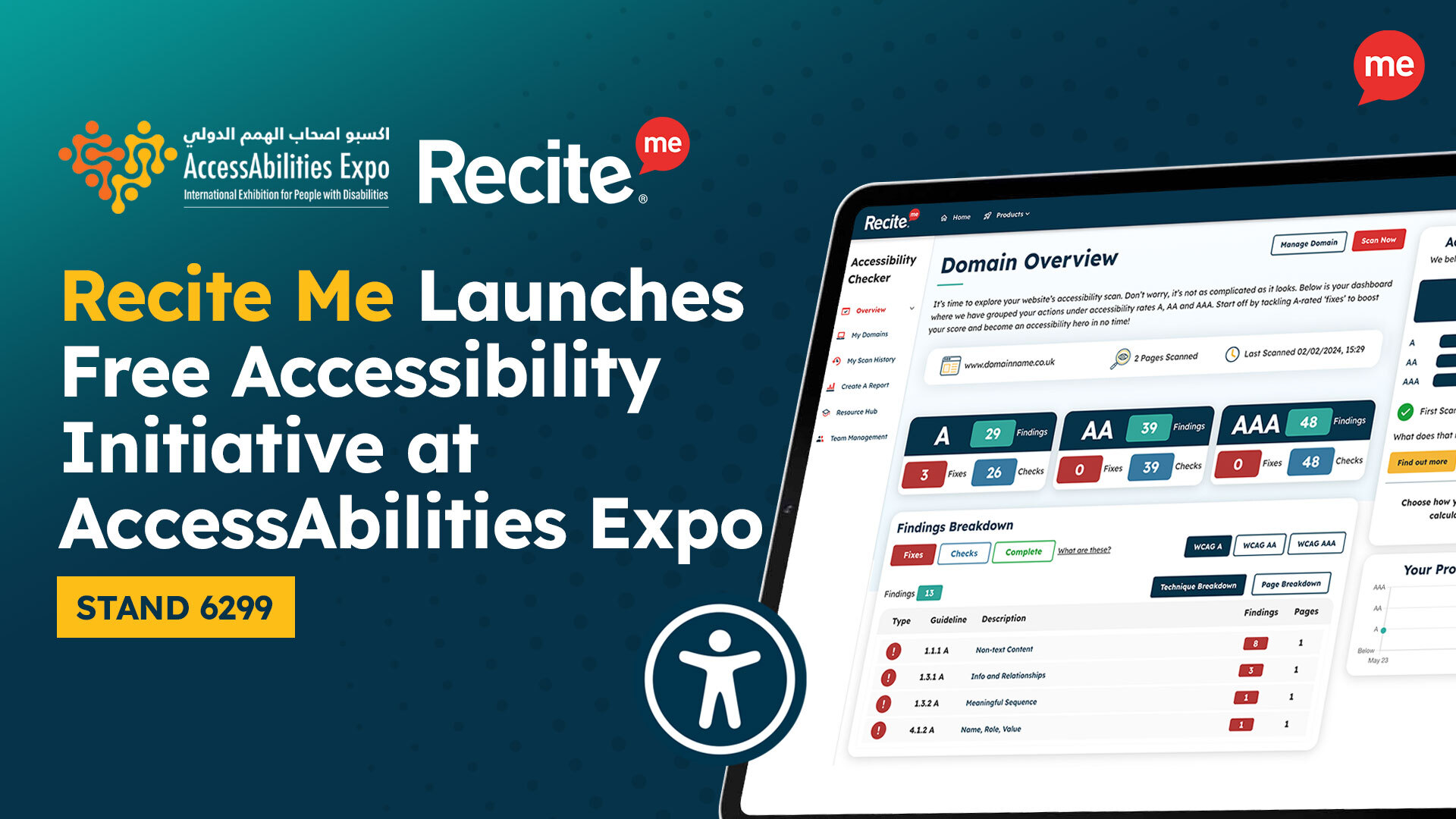
The Recite Me Accessibility Checker helps organisations identify, manage, and improve website accessibility at scale. It scans websites against WCAG criteria and provides detailed reports on issues such as:
- Colour contrast
- Screen reader compatibility
- Heading structure
- Page titles
- Image alt text
- Navigation
- Readability
For organisations that need more than a quick page check, Recite Me offers a strong foundation for long-term accessibility management.
Primary strength
Supports accessibility as an organisation-wide compliance process, not just a developer task.
Best for
Businesses managing large websites, multiple domains, recurring template issues, or legal obligations across different regions.
Limitations
Typically requires a clear process and supporting expertise to act on the insights it provides.
axe DevTools
This is a developer-focused tool that enables teams to test for WCAG issues during the build process and identify accessibility problems early in development. It is widely used across automated testing frameworks and has reporting options that help teams track trends and share results.
Primary strength
Deep integration with development workflows, enabling early detection of accessibility issues.
Best for
Development teams looking to embed accessibility testing into coding, QA, and CI/CD processes.
Limitations
Organisations requiring broader compliance oversight may need additional reporting, governance, or expert support.
WAVE by WebAIM
WAVE is a browser-based evaluation tool that provides visual feedback directly on web pages. It highlights accessibility issues using icons and indicators, making it easy to identify structural and content-related problems. Its visual approach makes it particularly useful for understanding how accessibility issues appear in context.
Primary strength
Clear, visual representation of accessibility issues directly on the page.
Best for
Content teams, designers, and developers performing quick page-level accessibility checks.
Limitations
Not suited to enterprise-wide monitoring unless paired with wider audit and reporting processes.
Lighthouse (Chrome DevTools)
Built into Chrome DevTools, Google Lighthouse offers a quick and accessible way to identify common accessibility issues during development. It evaluates accessibility alongside performance, SEO, and general best practices, providing a score and recommendations based on a set of predefined checks.

Primary strength
Fast, built-in accessibility auditing within a broader website performance tool.
Best for
Developers and teams needing quick, high-level accessibility insights during development or QA.
Limitations
Not designed to provide full WCAG compliance assurance or organisation-wide accessibility governance.
Pa11y
Pa11y is an open-source accessibility testing tool that runs WCAG checks via the command line or Node.js. It allows teams to integrate accessibility testing into development or CI workflows and automate checks across multiple pages.

Primary strength
Highly flexible, automation-friendly testing for technical environments.
Best for
Developers and engineering teams looking to automate accessibility testing at scale.
Limitations
Not suitable for non-technical stakeholders who need visual reports, dashboards, or compliance oversight.
Microsoft Accessibility Insights
Microsoft’s in-house testing tool helps developers identify accessibility issues across web and Windows applications. It is particularly useful for structured, step-by-step accessibility evaluations and guided checks for teams already working within Microsoft environments.

Primary strength
Combines automated testing with guided manual assessment workflows.
Best for
Developers and QA teams conducting more detailed accessibility reviews.
Limitations
May need to be paired with wider reporting and remediation support for full organisational accessibility management.
IBM Equal Access Accessibility Checker
This is an open-source browser extension that scans web pages and applications for accessibility issues using IBM’s proprietary rule engine. It integrates directly into browser development tools, making it a useful resource for teams wanting to embed accessibility into product workflows.

Primary strength
Robust rule-based, technical testing engine that provides detailed issue reporting within the browser environment.
Best for
Developers, auditors, and accessibility specialists who are comfortable working with browser developer tools.
Limitations
Not designed for large-scale website scanning, centralised reporting, or organisation-wide compliance tracking.
Firefox Accessibility Inspector
Embedded into Firefox Developer Tools, this is a diagnostic tool rather than a full testing platform. It is most helpful in allowing developers to examine how web content is exposed to assistive technologies by examining properties such as roles, labels, and the accessibility tree.

Primary strength
Deep inspection of accessibility properties and assistive technology exposure.
Best for
Developers troubleshooting accessibility at a technical level.
Limitations
Not a full WCAG audit platform. As such, it works best as a diagnostic tool within a wider accessibility testing process.
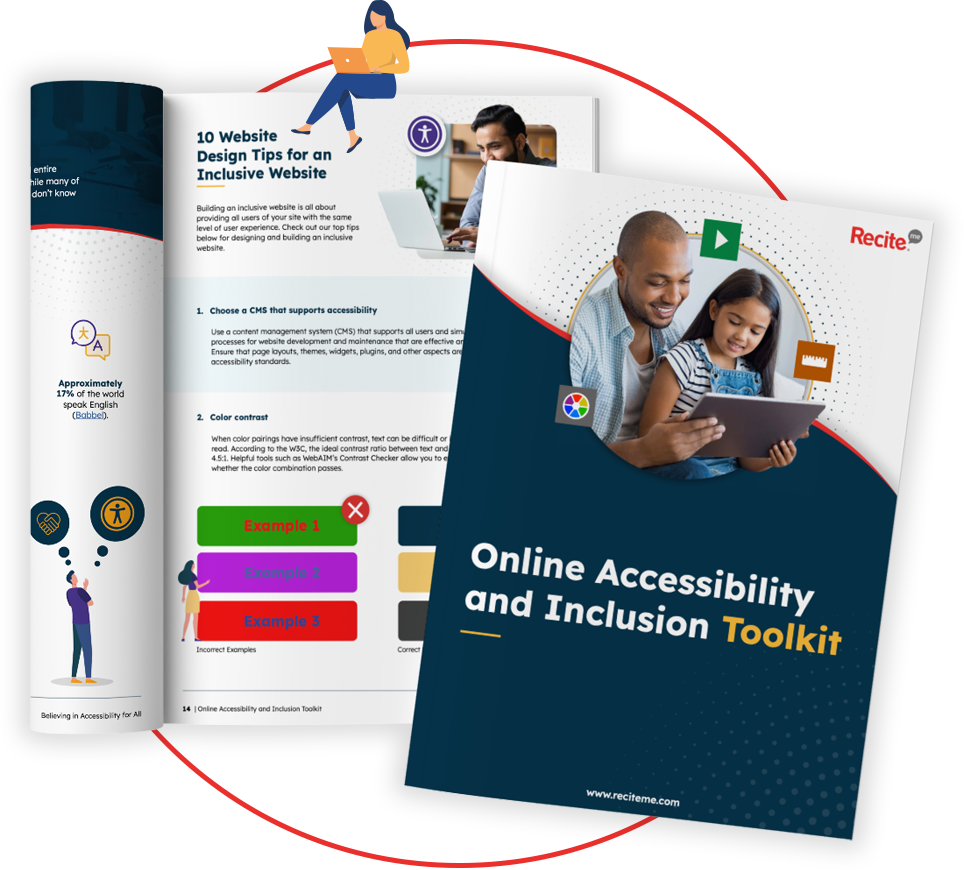
Our 40-page Digital Accessibility & Inclusion Toolkit helps businesses break down online barriers and make a real impact. It offers practical advice on all aspects of digital accessibility, from writing an accessibility statement to accessible website tips and inclusive hiring.
Does a WCAG testing tool make you compliant?
No. Even the best WCAG testing tools cannot automatically make your website compliant. Their primary role is to identify potential accessibility issues. Compliance depends on whether your organisation reviews the results, implements the necessary fixes, validates the changes, and maintains accessibility over time.
It is also important to recognise that accessibility laws and standards reference WCAG in different ways. For example:

- United Kingdom: The Public Sector Bodies Accessibility Regulations mandate WCAG 2.1 Level AA as the benchmark for compliance.
- European Union: The European Accessibility Act (EAA) is supported by EN 301 549, which aligns closely with WCAG 2.1.
- The United States: The Americans with Disabilities Act (ADA) sets WCAG 2.1 AA as the benchmark for accessible websites and digital services. In contrast, Section 508 formally references WCAG 2.0 Level AA for federal agencies.
- Canada: The Accessible Canada Act (ACA) requires compliance with WCAG 2.1 AA. Many provinces also have their own legislation with references to WCAG.
These nuances highlight an important reality. Compliance is not just about meeting a specific version of WCAG. It is about understanding how the guidelines are interpreted and enforced across your region and industry sector.
Why should you test for WCAG compliance?
Regular testing helps you reduce legal risk and improve user experience, brand reputation, and commercial performance by:
- Identifying online barriers before users encounter them.
- Lowering the risk of complaints, claims, or regulatory scrutiny.
- Improving usability for individuals with disabilities.
- Supporting inclusive customer, employee, and candidate experiences.
- Tracking accessibility progress over time.
- Making accessibility a measurable part of digital governance.
Consistent testing is critical as your digital estate grows. Otherwise, your accessibility issues scale with you.
What are the most common WCAG accessibility errors?
The good news is that many accessibility issues tend to be practical, repeatable, and highly fixable. Common examples include:
- Incorrect heading structure.
- Keyboard navigation barriers.
- Low colour contrast between text and background.
- Missing or poor-quality alternative text.
- Videos without captions or transcripts.
- Empty links or buttons.
- Missing form labels.
- Poor focus indicators.
- Inaccessible PDFs and downloadable documents.
- Incorrect ARIA usage.
These issues occur frequently because they are often introduced through everyday content updates, design decisions, and development changes. Left unchecked, they can quickly spread across pages and templates, making them harder and more costly to fix.
Are there any limitations of using WCAG testing tools?
Yes. Automated tools can miss issues that require human judgement, such as whether link text makes sense, whether a user journey is logical, whether alt text accurately describes an image, or whether content is easy to understand.
They may also struggle with:
- Dynamic content
- Complex forms
- Interactive components
- Screen reader usability
- Context-specific content decisions
For these reasons, automated reviews are most effective when combined with manual testing, remediation, and ongoing monitoring.
Get a Free Accessibility Check of your Website
Run a scan to identify WCAG issues on your website's homepage. Then, use our recommended changes to achieve compliance with the latest accessibility standard.
Choose a WCAG testing tool that supports real progress
The best WCAG testing tool is not simply the one that finds the most errors. It is the one that helps your organisation understand accessibility risk, prioritise action, and make measurable progress.
The Recite Me Accessibility Checker offers a complete route to managing accessibility at scale, helping you move beyond one-off checks and build a more inclusive, compliant, and user-friendly digital experience.
Run your free scan today or book a demo to learn more and start turning accessibility insights into meaningful, lasting improvements.
WCAG Testing Tools FAQs
Looking for a recap or quick summary? Here are a few of our most frequently asked questions to help you get to grips with the essentials:
What is a WCAG compliance testing tool?
A WCAG compliance testing tool is a digital accessibility tool that checks websites, apps, and other content against the Web Content Accessibility Guidelines. It helps identify common accessibility barriers that may prevent people from accessing or using digital services effectively.
Can free WCAG testing tools prove compliance?
No. Free tools can help identify accessibility issues, but they cannot guarantee compliance as requirements vary by region and legislation.
Plus, most free tools are limited to page-level or developer testing, meaning remediation, manual review, documentation, and ongoing monitoring are required to maintain a stronger compliance position.
What is the best WCAG testing tool for enterprise organisations?
The Recite Me Accessibility Checker is one of the strongest options because it is designed for large-scale accessibility management, not just individual page testing. It helps organisations scan websites, identify WCAG issues, prioritise fixes, and access reporting that supports compliance oversight across teams and domains.
What is the difference between automated and manual WCAG testing?
Automated testing uses software to detect common accessibility issues quickly and consistently. Manual testing involves human review, often including keyboard testing, screen reader checks, content review, and user journey analysis. Both are important because automated tools cannot identify every barrier.
Do WCAG testing tools check PDFs?
Some do, but not all. If your organisation publishes PDFs, forms, reports, or other downloadable content, you’ll need to choose a solution that incorporates document accessibility in your overall testing and remediation strategy.
Check out our Products & Services
Ready to take your first steps towards digital accessibility compliance? Then see how we can support your journey with our accessibility solutions:
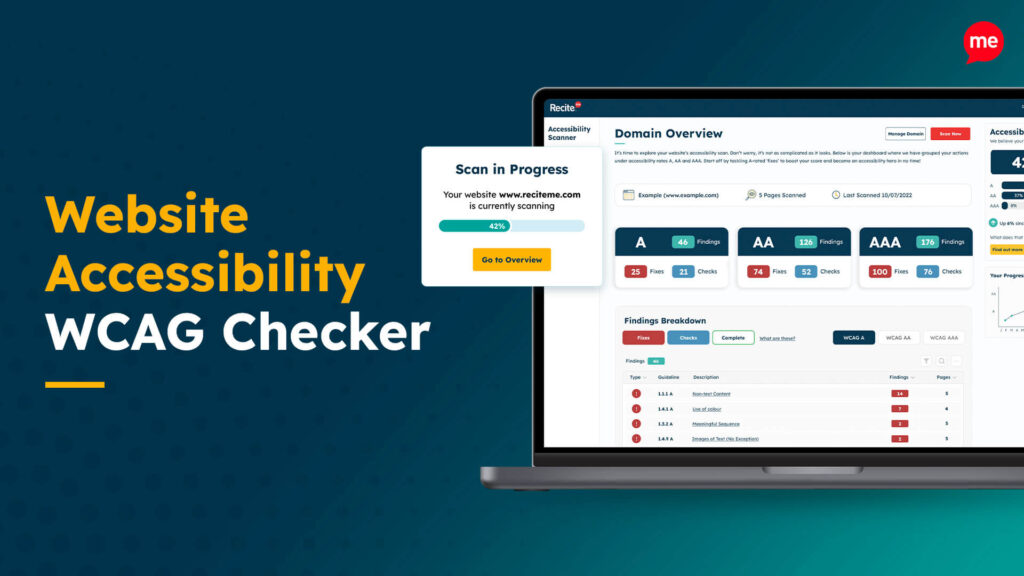
Web Accessibility Checker
Scan, detect, fix, and maintain accessibility compliance standards on your website.
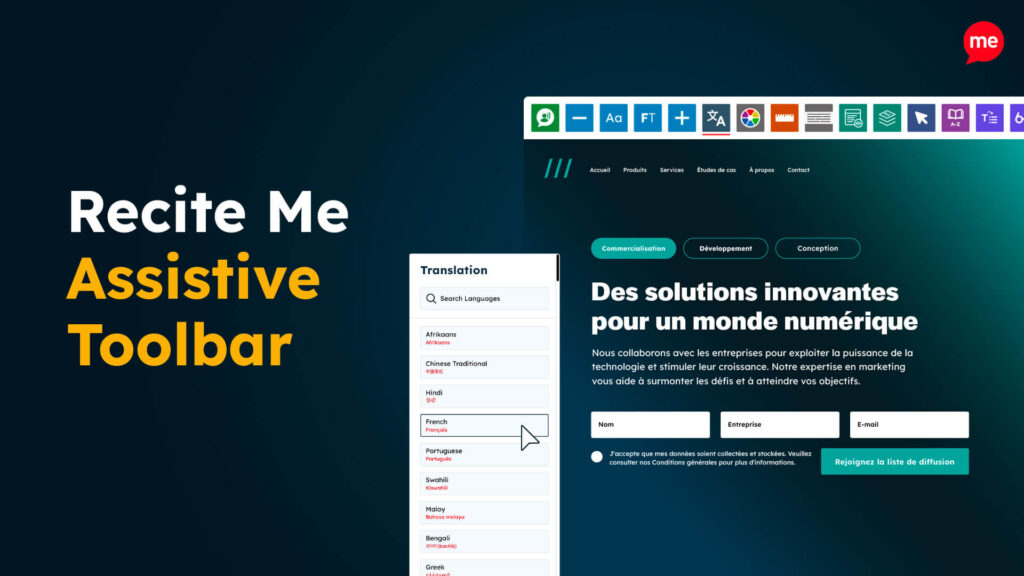
Assistive Toolbar
Make your website an inclusive and customisable experience for people with disabilities.
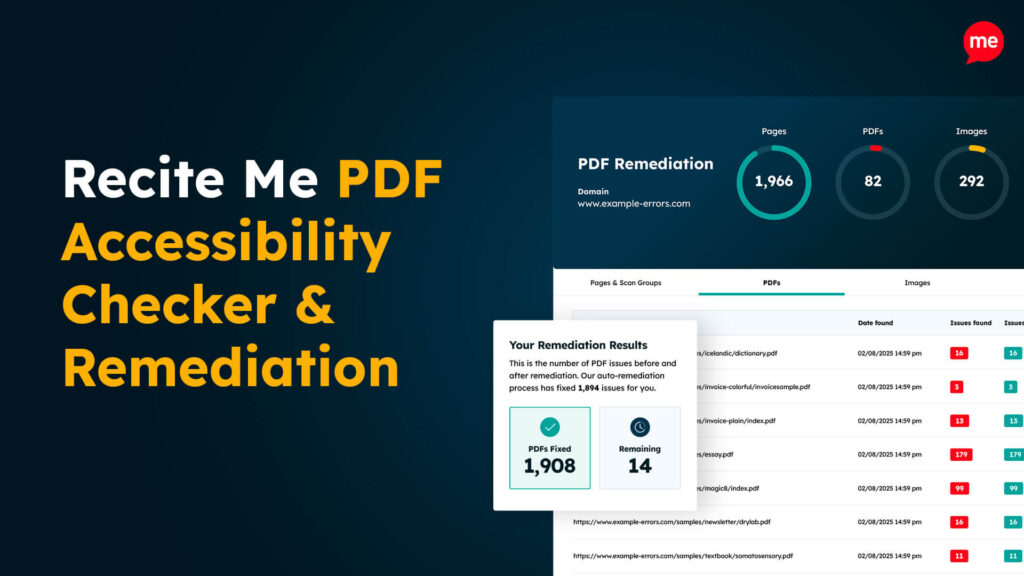
PDF Accessibility Checker
Check your PDFs are compliant with accessibility standards and run automated fixes.