Organisations are increasingly required to ensure that PDFs and other downloadable assets are accessible. Despite this, many PDFs are published without the structural markup required for accessibility.
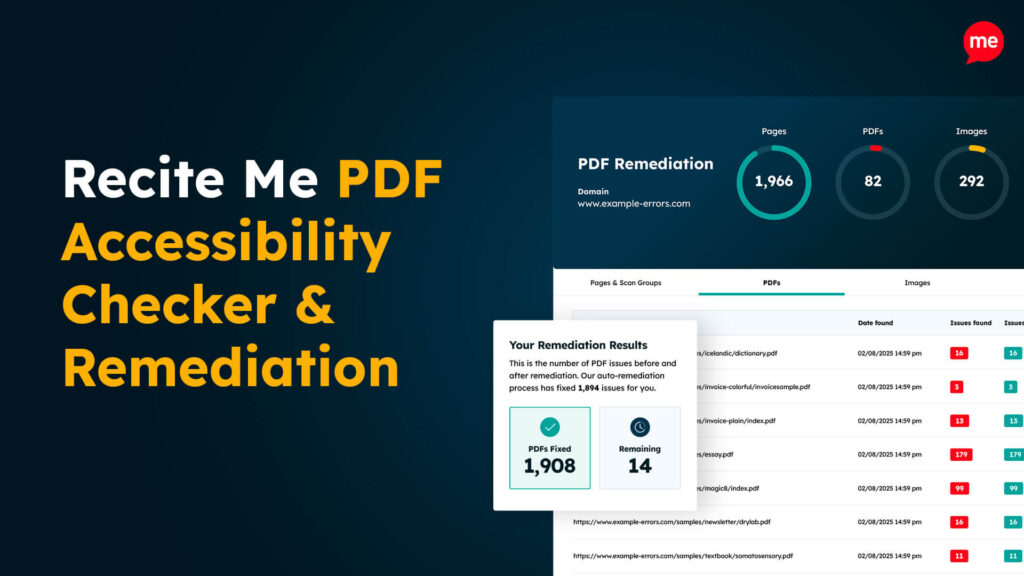
The Recite Me PDF Accessibility Checker helps organisations identify and remediate accessibility issues. But precisely what is a PDF accessibility checker, and how does Recite Me’s solution help you align with recognised accessibility standards?
Here’s everything you need to know.
What is the Recite Me PDF Accessibility Checker used for?
The Recite Me PDF Accessibility Checker is designed to identify and remediate accessibility barriers in downloadable PDF documents, such as:
When issues are detected, AI-driven remediation technology restructures documents so that assistive technologies can interpret them correctly. This often includes:
Adding semantic tags to identify headings, paragraphs, lists, and tables
Correcting reading order so screen readers follow the intended content flow
Adding alternative text descriptions for images
Structuring table headers and relationships
Ensuring forms are labelled and navigable
Converting scanned image PDFs into readable text formats
Without these structural elements, screen readers cannot determine the meaning or hierarchy of content within a document.
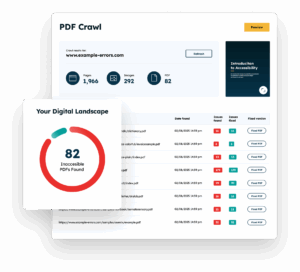
Free Scan for Non-compliant PDFs on your Website
Scan your website to locate every PDF in one place and instantly see how many do not meet accessibility standards. You will also receive one of your website’s PDFs fully remediated, so you can see the impact in action.
Who is the Recite Me PDF Remediation tool useful for?
The technology is particularly useful for organisations that publish large volumes of PDF documents. Typical user groups include:
Public sector bodies that must meet accessibility regulations
Higher education institutions publishing course materials and research reports
Healthcare organisations distributing patient information
Financial services providers issuing regulatory and investor documents
Housing associations publishing policy and tenant documentation
Enterprises operating across multiple regulatory jurisdictions
Any other organisations with a genuine interest in improving the accessibility of their information and services
For organisations managing extensive document libraries, the PDF checker helps establish consistent accessibility processes across publishing workflows.
What standards does the tool check against?
The Recite Me PDF Accessibility Checker evaluates documents against recognised global accessibility standards, including:
Both WCAG and PDF/UA define how digital content should be structured so it can be perceived, operated, understood, and robustly interpreted by assistive technologies. While WCAG defines accessibility outcomes, PDF/UA (Universal Accessibility) defines how PDF files must be structured to achieve them.
How does the Recite Me PDF Accessibility Checker work?
The tool scans uploaded PDFs, identifies accessibility issues, and applies structured remediation workflows to transform them into accessible, standards-aligned documents. Here’s how the process works:
1. Document identification
Organisations can either:
Upload individual PDFs manually, or
Allow the system to crawl their website
Website crawling is particularly useful for organisations that publish large numbers of documents across different departments or content areas. It ensures that existing legacy PDFs are discovered and included in the accessibility review process, rather than relying on manual identification.
2. PDF estate review
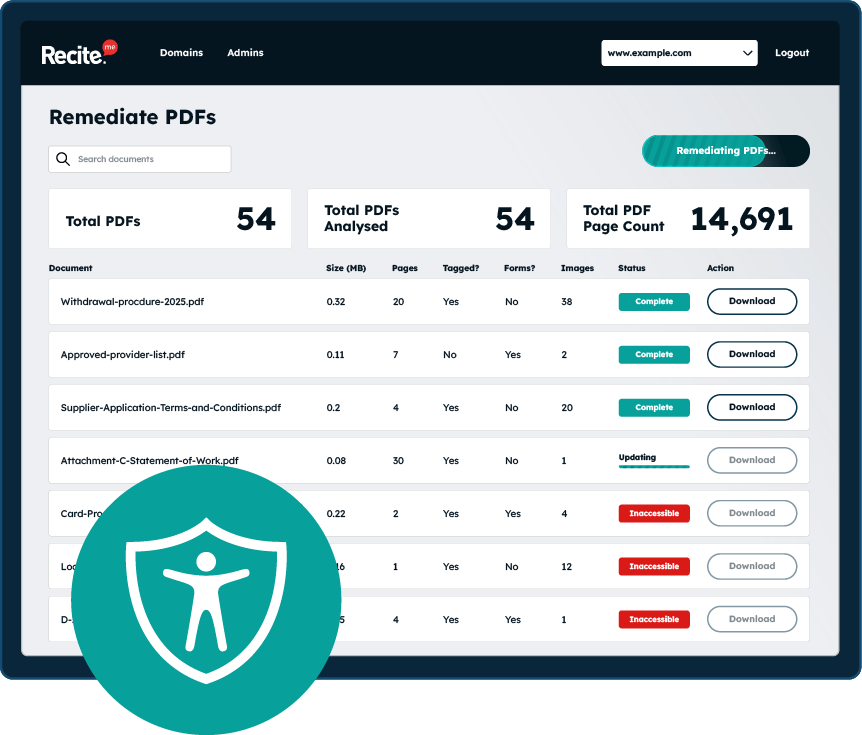
The system evaluates the overall PDF document estate to establish the scope and complexity of remediation work. Key metrics include:
Total number of PDFs identified
Total document page count
Number of tagged vs untagged documents
Tally of PDFs containing forms
Overview of document size and structural complexity
Creation trends over time
Reviewing these metrics helps organisations understand how accessibility issues are distributed across documents and the scale of remediation required.
3. Remediation planning
Automated scanning and analysis software groups documents to make it easier for teams to determine which fixes to tackle first. Common groupings include:
High-risk documents that present the greatest accessibility risk if left unresolved
Quick wins that can be remediated quickly for immediate accessibility improvements
High-usage documents that are accessed frequently by users
Older or archived content that may not require immediate remediation
Structured prioritisation allows organisations to address the documents that present the highest user, legal, and reputational risk first, while planning remediation for larger or lower-priority documents over time.
4. Automated fixing at scale
The platform uses AI-driven remediation technology to automatically resolve accessibility issues related to:
Tagging and document structure
Reading order and navigation
Form field and labelling errors
Missing alternative text
Assistive technology barriers
WCAG failures
Remediating via automated technology allows organisations to address accessibility issues at scale, avoiding the time, cost, and inconsistency associated with manual remediation.
5. Validation
Accessibility improvements are verified to ensure the resulting PDFs meet recognised standards. Documents are:
Spot-checked
Validated against industry standards
Benchmarked using software such as PAC and Adobe Acrobat
The validation process provides confidence, audit assurance, and defensible evidence of accessibility compliance.
6. Deployment
Accessible versions can be deployed quickly and confidently. Organisations can choose whether to:
Automate 301 redirects to accessible versions (either Recite Me hosted or self-hosted)
Manually download and upload the newly accessible versions into their CMS or document management system
Either way, users will always be directed to the most accessible version of the document, without disrupting existing publishing workflows.
7. Monitoring and maintenance
PDF accessibility is not a one-off exercise. Long-term accessibility management is required as new documents are published, existing content is reused, and archived files return to active use.
Automated monitoring features run continuously behind the scenes to:
Conduct routine scans of the entire PDF estate
Detect newly published PDFs
Identify previously archived documents that have become active again
Re-scan and remediate whenever accessibility issues are detected
Continuous monitoring helps organisations maintain accessible documents over time, ensuring standards remain intact as content evolves.
What is the cost of the Recite Me PDF Accessibility Checker?
Generic pricing models rarely work for accessibility remediation because every organisation manages a different PDF landscape and the size and complexity of document estates can vary significantly.
Instead, costs and packages are typically tailored based on:
The number of PDFs requiring remediation
Total document page count
Number of domains that require remediation
Required accessibility support services
Type of organisation
This approach ensures organisations receive a custom proposal based on their specific document requirements and the scale of remediation required.
What are the benefits of PDF accessibility remediation?
A structured PDF accessibility remediation process offers several operational and compliance benefits, including:
Improved assistive technology usability for people using screen readers, voice navigation tools, and other accessibility technologies.
Stronger procurement eligibility through demonstrable accessibility compliance.
More consistent publishing standards that reduce the likelihood of recurring accessibility issues in newly published documents.
Broader audience inclusion for individuals with visual impairments, cognitive disabilities, dyslexia, and reading difficulties.
Greater operational efficiency through reduced time and cost associated with manual document remediation.
Improved accessibility governance with clearer oversight of an organisation’s document accessibility landscape.
Ultimately, effective PDF accessibility remediation strengthens compliance, improves user experience, and reduces the operational burden of document management.
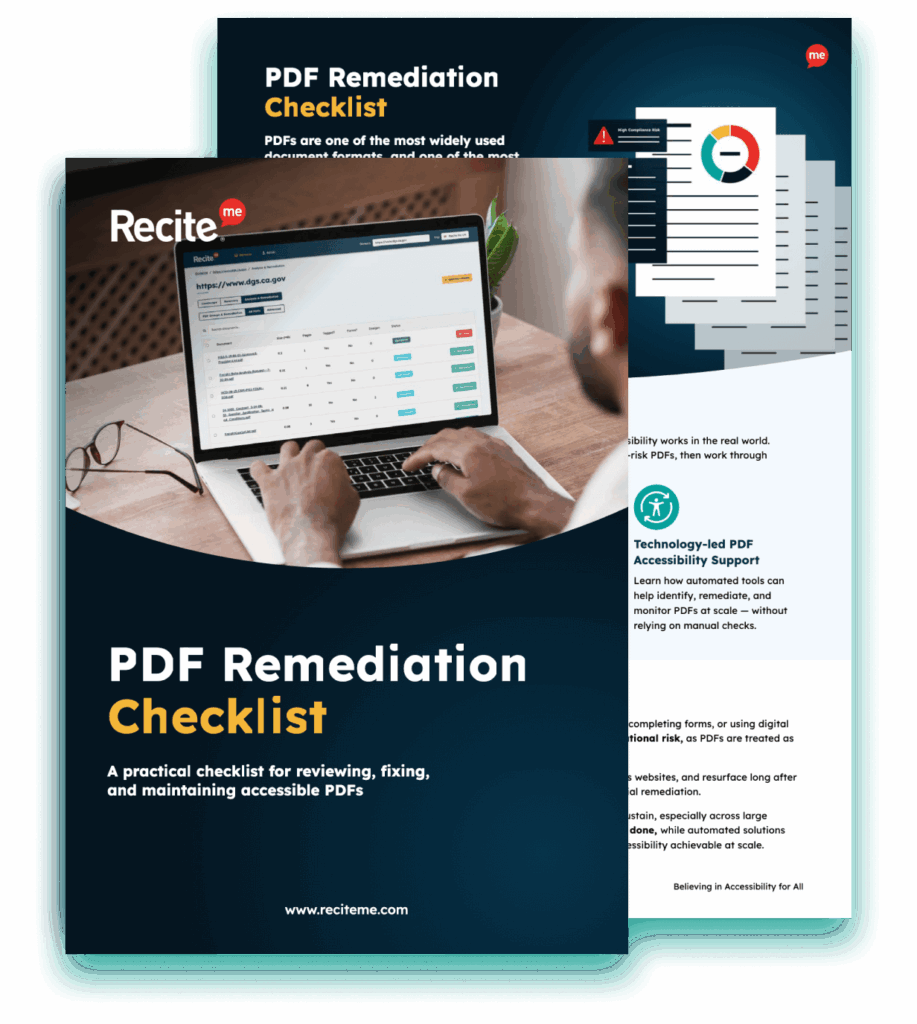
Download A Free PDF Remediation Checklist
Improve the accessibility of your website’s official documents with our free PDF remediation checklist. It guides you through clear steps to identify and address common accessibility barriers, to align with global accessibility standards.
Inaccessible documents create the same legal, usability, and reputational risks as an inaccessible website. As regulatory expectations around accessibility continue to grow, organisations that implement structured document accessibility processes are better positioned to demonstrate compliance, improve usability, and deliver inclusive digital services.
Yes. The checker uses AI-powered remediation techniques to automatically address common accessibility issues, such as applying structural tags and identifying document hierarchy. However, some complex issues may still require manual review.
Every document should be checked before publication. However, entire document libraries should undergo periodic accessibility reviews, particularly where large volumes of legacy PDFs exist.
No tool can guarantee complete legal compliance on its own because accessibility compliance is an ongoing process requiring careful attention. That said, any documents remediated by the tool will be compliant with WCAG 2.2 Level AA.
Check out our Products & Services
Ready to take your first steps towards digital accessibility compliance? Then see how we can support your journey with our accessibility solutions:
Web Accessibility Checker
Scan, detect, fix, and maintain accessibility compliance standards on your website.