Enhance the user experience for your website visitors
Improve the build of your website to WCAG 2.2 Compliance
Instantly find and remediate every inaccessible PDF on your website
Accelerate your compliance journey with manual auditing and remediation
Get a free automated scan of your homepage for WCAG compliance issues and provides recommended fixes
Your hub for accessibility learning, resources, and support
Latest accessibility updates, insights, and industry trends
Practical, step-by-step resources to improve accessibility
Structured training to build accessibility skills and confidence
Get a free automated scan of your homepage for WCAG compliance issues and provides recommended fixes
CHECKER FEATURE
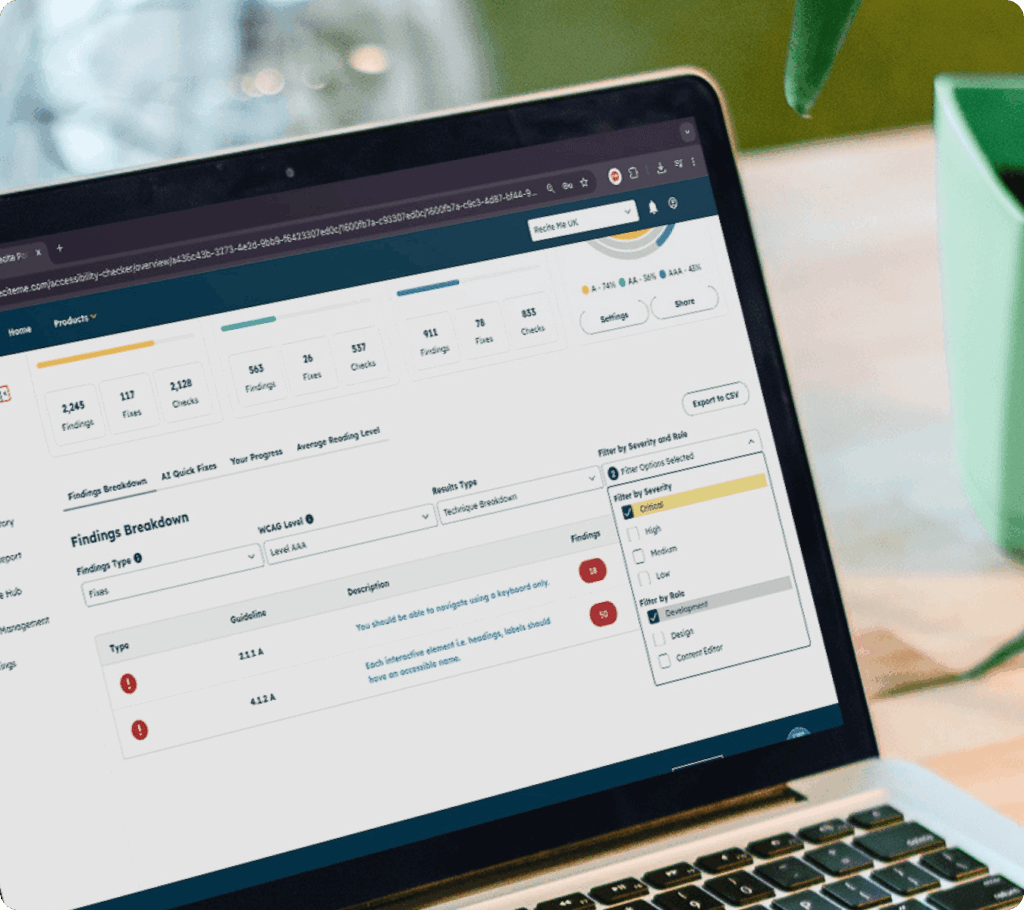
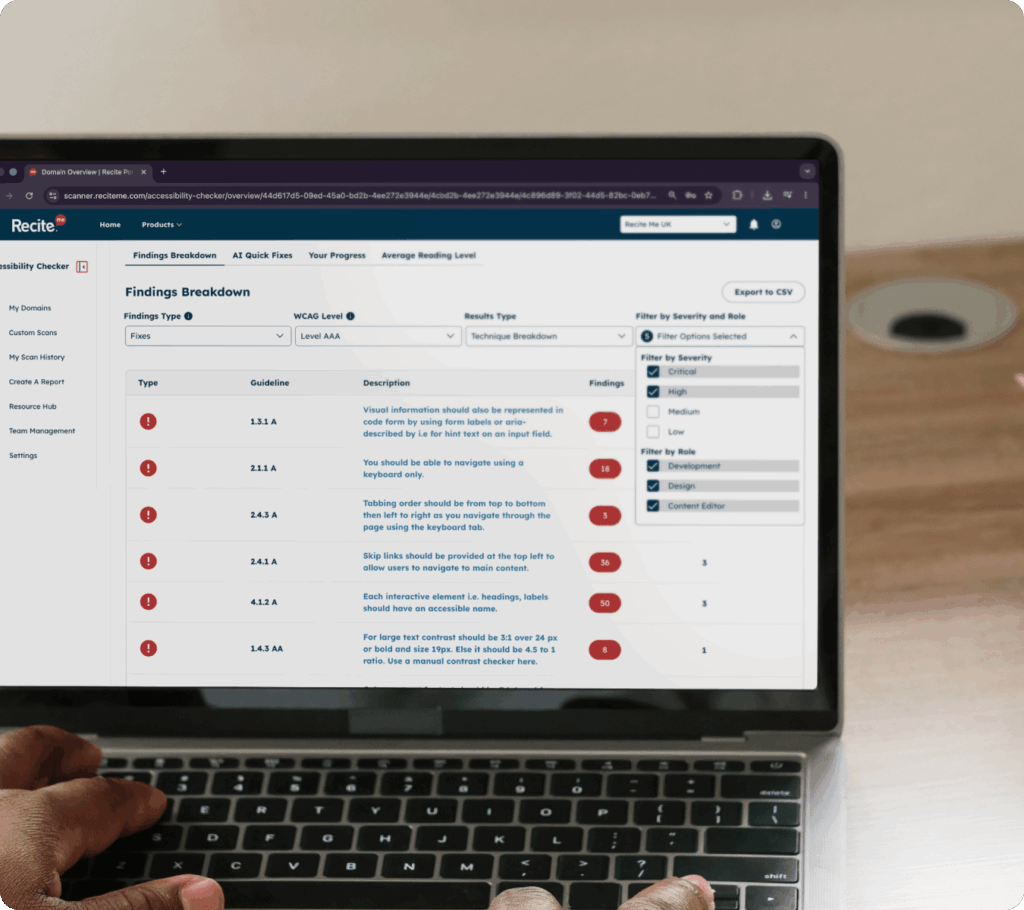
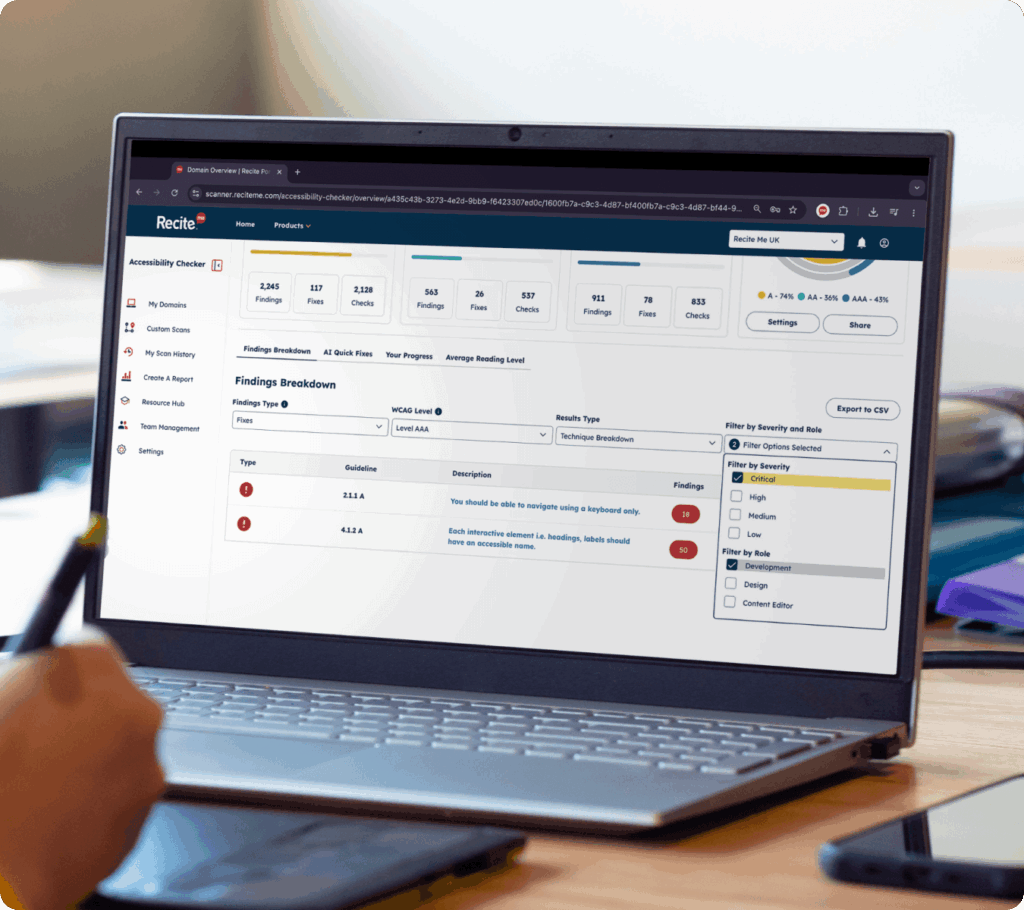
Quickly identify which accessibility issues are relevant to different teams, making it easier to prioritise tasks and take action.
HOW IT WORKS
Our Website Accessibility Checker allows you to filter issues based on job role, alongside other key criteria such as severity and WCAG level.
You can start by viewing your accessibility findings, then apply filters to focus on the issues most relevant to your team. For example, you might filter by WCAG Level AA and high-severity issues, then narrow this down further to show only content, design, or development-related fixes.
Book a demo to find out how role based filtering works and how it can help your team.
MANAGE ISSUES MORE EFFECTIVELY
Accessibility reports often include a wide range of issues, from missing alternative text to more complex code-level problems.
When everything is grouped together, it can be difficult to know where to start or who should take ownership. This can slow progress and create confusion across teams.
By separating issues by role, teams can take clear ownership and move forward without delays.
MANAGE ISSUES BY TEAM
Filter accessibility issues by job role so content, development, and design teams can quickly focus on the fixes most relevant to them.
Content teams can focus on issues related to text, images, and media. This includes tasks like adding alternative text, improving link descriptions, and ensuring content is clear and accessible.
Developers can address more technical issues, such as code structure and ARIA attributes. This helps ensure the underlying functionality of your website meets accessibility standards.
Design teams can focus on visual and usability-related issues, such as colour contrast, layout, and how content is presented across different devices and screen sizes.
From cognitive differences to changing accessibility expectations, inaccessible websites create barriers for a wide range of users.
1 in 5
people live with a disability
Many users rely on accessible websites to browse, shop, and complete everyday tasks.
96%
of homepages have detectable WCAG failures. Common accessibility issues continue to impact user experience across the web.
71%
of users with disabilities leave inaccessible websites. Poor accessibility can prevent users engaging with your content.
Who it helps
This feature is designed for organisations that need a clear, collaborative approach to accessibility, including:
ROLE-BASED WORKFLOWS
Make accessibility issues easier to manage by organising fixes based on who is best placed to take action.
Yes, issues can be filtered by job role, making it easier to assign tasks to the right teams.
Content teams typically handle issues related to text, images, and media, such as missing alternative text or unclear link wording.
Developers usually address technical issues, such as code structure, ARIA attributes, and interactive elements.
Yes, by clearly separating issues by role, teams can take ownership of their work without overlap or uncertainty.
Yes, filtering by role allows different teams to work in parallel, helping to speed up accessibility improvements.
Filtering fixes by job role allows you to break down accessibility issues based on who is best placed to resolve them.
Instead of reviewing a long list of mixed issues, you can quickly see what’s relevant to content teams, developers, or other stakeholders. It removes the guesswork around who should fix what, making it easier to prioritise tasks and take action.