
























In this on-demand webinar, exclusively for Recite Me customers, our accessibility experts break down why inaccessible PDFs present a serious compliance risk—and show you how to identify, prioritise, and fix issues at scale.
To enable closed captions please click the “CC” icon in the top right corner of the video.top
Audience Questions
Once a document has been remediated, there are a couple of ways to make the accessible version available.
You can manually replace the existing file on your website with the remediated PDF. However, for organisations managing a large volume of documents, this can be time-consuming.
A more scalable approach is to use a 301 redirect. This means that when a user clicks on the original PDF URL, they are automatically directed to the accessible version hosted by Recite Me. This can be implemented either by uploading a redirect file into your CMS or by using a small piece of JavaScript to handle it automatically.
This approach removes the need to manually update each document while ensuring users always access the compliant version.
Tables within PDFs can absolutely be made accessible. The key is ensuring they are properly structured and tagged, including clear table headers, correct associations between headers and data, and a logical reading order.
When this is done correctly, assistive technologies like screen readers can interpret and navigate tables effectively. Issues typically arise when tables are not properly structured, which can make them difficult to understand. However, with the right setup, tables can work just as well as any other content.
We use a combination of AI, OCR technology, expertise from our in-house test writing and accessibility teams, combined with adhering to WCAG recommended PDF technique standards.
In many cases, PDFs can be successfully remediated. However, it’s important to recognise that not every document is best suited to remain as a PDF.
For more complex or highly interactive content, such as detailed maps or dynamic information, converting the content into HTML can sometimes provide a more accessible and user-friendly experience.
So while remediation is highly effective, the best approach can depend on the type of content and how it’s being used.
Chrome’s built-in PDF viewer can support some accessibility features, but it is not a complete solution for ensuring accessible PDFs.
The accessibility of a PDF primarily depends on how the document itself has been created. If a PDF is properly structured and tagged, Chrome can help users interact with it to some extent. However, if the PDF is not accessible to begin with, the viewer cannot fix those issues.
So while Chrome’s PDF viewer can offer a basic level of accessibility, it should not be relied on as a substitute for creating or remediating fully accessible PDFs.
If a PDF includes links to other PDFs, those linked documents also need to be accessible to ensure a fully inclusive experience.
Remediating one document does not automatically make any linked PDFs accessible. Each document needs to be assessed and remediated individually.
In practice, this means identifying and prioritising any linked PDFs as part of your wider remediation strategy, especially if they form part of key user journeys. Ensuring all linked content is accessible helps maintain a consistent and seamless experience for users.
At Recite Me, there isn’t a fixed pricing plan, as every organisation and website is different. Instead, pricing is tailored based on your specific requirements.
Typically, this depends on the number of PDFs you have and the total number of pages that need to be remediated. This allows the approach to scale based on the size and complexity of your document library.
To get an accurate quote, it’s best to speak with your Customer Success Manager, who can assess your needs and provide a tailored recommendation.
All Recite Me AI-powered tools operate on an enterprise basis, meaning your data is handled securely and responsibly.
No data from your PDFs is used to train AI models. Recite Me has enterprise agreements in place with leading providers, which include strict data processing terms. This means there is zero data retention, your content is processed and returned, then immediately discarded.
In short, the data is handled on a process-and-return basis, with no storage and no reuse. This approach applies across Recite Me tools, including the Assistive Toolbar and Website Accessibility Checker.
No, directing users to view PDFs in Chrome (or any specific tool) is not sufficient to meet WCAG 2.2 requirements.
WCAG focuses on ensuring that the content itself is accessible, regardless of how it is accessed or which browser or tool a user chooses. This means the responsibility sits with the organisation to provide accessible documents, rather than relying on users to use a particular platform or workaround.
While tools like Chrome or Word may offer some accessibility support, they cannot fix underlying issues in an inaccessible PDF. Users may also rely on different assistive technologies or browsers, so requiring a specific setup would not provide an inclusive experience.
To meet WCAG 2.2, PDFs need to be properly structured and accessible at source, ensuring they can be used effectively across a range of technologies and user needs.
Our PDF remediation tool uses OpenAI’s language models to automatically generate alternative text (alt text) for images contained within documents.
When a PDF is processed, each image is extracted and passed to an AI model along with contextual information from the surrounding document where available. The model then produces a concise, descriptive summary of the image’s visible content.
The generated descriptions focus strictly on observable visual elements (for example, objects, people’s actions, settings, charts, or diagrams) and aim to be clear, neutral, and functional. The system is designed to avoid unnecessary interpretation or assumptions beyond what is visually present.
It does, yes.
The remediation is saved as part of the file so it wouldn’t be stripped out by a PDF reader.
Our tool isn’t designed to create or edit PDFs, so Adobe remains the go-to for authoring and editing documents. Where we differ is in our exclusive focus on accessibility. Once a PDF has been created, our tool ensures it meets WCAG standards by identifying and resolving accessibility issues. We provide comprehensive tagging across all key document elements, including text, images, links, tables, and forms. We also test against all 23 recognised WCAG PDF techniques, alongside additional custom checks developed and validated by our in-house accessibility specialists.
While Adobe offers some tagging functionality, it can be limited. This often becomes clear when documents are tested using industry tools like PAC (PDF Accessibility Checker), where incomplete tagging can lead to WCAG or PDF/UA compliance issues being flagged.
Check out our Accessible PDF Resources
PDF Accessibility compliance is essential for your business and its customers. Get started today with any of our free downloadable resources.
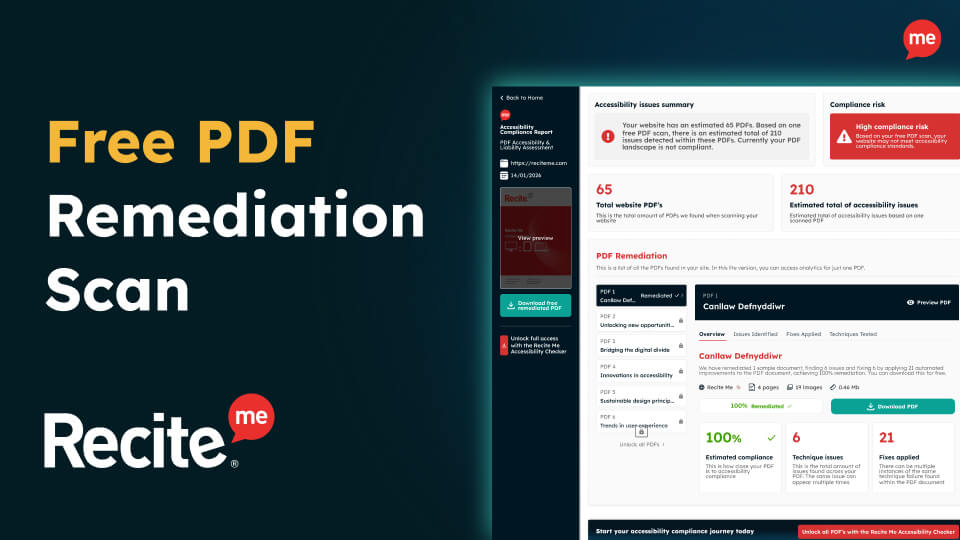
Free PDF Remediation Scan
Instantly uncover accessibility barriers hidden across your PDFs and understand what they mean for disabled users and legal compliance.
Accessible PDF Checklist
This practical checklist helps you understand what accessible PDFs actually require and what “good” looks like in real-world use.
PDF Accessibility Playbook
This playbook introduces a structured, strategic approach to effectively managing PDF accessibility at scale.
