













Free EAA Compliance Audit of your Website
Run a free scan of your website's homepage to identify any EAA violations. Then, use our recommendations to implement fixes and achieve EAA compliance.
The European Accessibility Act (EAA) is now in force and if your website serves users in the EU you need to act. The right EAA compliance checker takes the guesswork out of that process, identifying barriers before regulators or users do. This guide covers the best tools available, what they find, and which solution is best suited to enterprise organisations with complex digital estates.
Why is EAA compliance important?
The European Accessibility Act requires all digital products and services to meet WCAG 2.1 Level AA standards. New content published after June 2025 must already comply, and all existing content must be fully EAA compliant by June 2030.
Non-compliance exposes organisations to fines, legal action, and reputational damage. Beyond the legal risk, one in four adults in Europe lives with a disability, meaning inaccessible websites are actively excluding a significant portion of your potential audience.
What are the best EAA compliance checker tools?
No two tools offer exactly the same capability. Some are built for enterprise-grade monitoring; others suit developers testing individual pages. Here is a breakdown of the leading options to help you identify the right fit.
#1 Recite Me Accessibility Checker
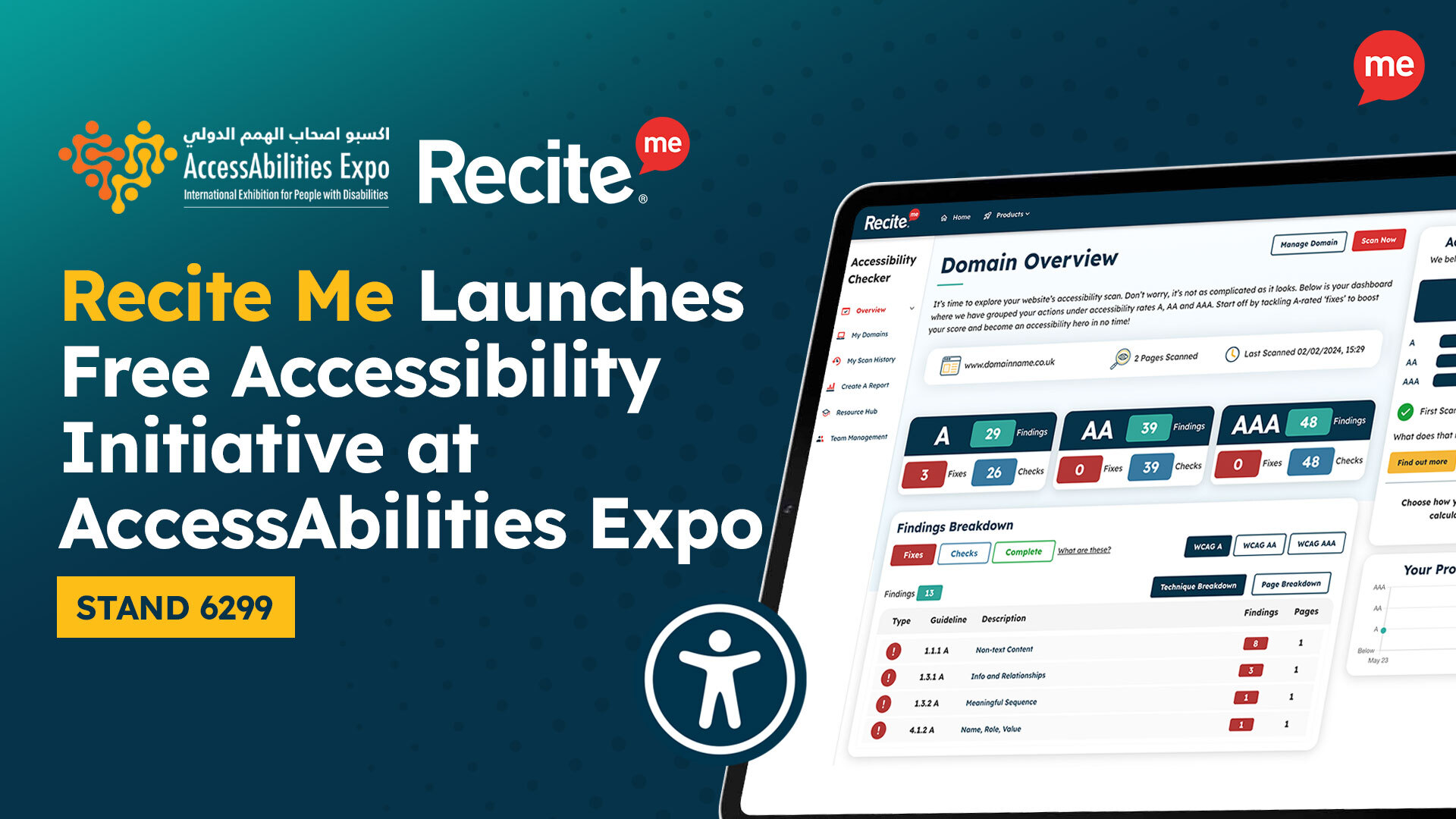
The Recite Me Accessibility Checker is the strongest EAA compliance tool for enterprise organisations. It automates over 200 WCAG checks, aligned to WCAG 2.2, and uses AI to move teams from detection to remediation faster than manual processes allow.
The platform follows a three-stage workflow (Plan & Scan, Fix & Improve, and Report & Monitor) with unlimited page scans regardless of website size. Additionally, it supports PDF remediation, accessibility statements, consultancy, and VPAT documentation, making it a genuinely end-to-end solution. Custom enterprise pricing ensures organisations only pay for what they need.
Strengths
- 200+ automated WCAG 2.2 checks
- Unlimited page scans with no cap on website size
- Covers EAA, ADA, Section 508, AODA, & DDA
- Developer-ready code outputs
- Full remediation ecosystem: PDFs, training, & documentation
Limitations
- Custom pricing means no self-serve options
- Full compliance still requires manual testing
#2 DubBot
DubBot is a web governance and accessibility monitoring platform particularly popular in higher education. It performs over 100 automated accessibility checks against WCAG 2.1 and 2.2 (A, AA, and AAA), prioritising issues by severity.
Furthermore, it groups websites by organisational unit, making it easy to track compliance progress across large, decentralised web environments. It also includes broken link detection, PDF scanning, and content quality flagging, making it useful beyond accessibility alone.
Strengths
- Severity-based prioritisation across WCAG 2.2
- Strong multi-site reporting for complex websites
- Built-in access to certified accessibility specialists
Limitations
- Targeted at higher education and government
- Less suited to commercial enterprise
#3 AccessibilityChecker.com
AccessibilityChecker.com provides EAA-focused scanning for websites, helping organisations identify non-conformance with WCAG 2.1 AA.
The tool is aimed at businesses working toward EAA deadlines and includes guidance on common failures such as low contrast, missing alt text, and inaccessible forms. It also offers a free EAA compliance audit, making it a practical starting point for teams at the earlier stages of their compliance journey.

Strengths
- Clear business guidance for EAA compliance
- Free audit option with actionable output
- Covers all website accessibility requirements
Limitations
- Less depth for large-scale monitoring
- Limited remediation beyond initial scan results
#4 TPGi ARC Platform
TPGi is a specialist accessibility consultancy with over two decades of experience, and the ARC Platform is its flagship tool for enterprise accessibility management.
ARC combines automated scanning, a browser-based testing toolkit, CI/CD integration, and a comprehensive knowledge library. It supports WCAG 2.0 and 2.1 conformance while also integrating directly with DevOps pipelines, making it a strong fit for development-led compliance programmes.
Strengths
- 20+ years of accessibility knowledge
- CI/CD integration for accessibility testing
- Browser extension for page-level testing
- Extensive KnowledgeBase
Limitations
- Steeper learning curve for non-technical users
- Platform has previously faced temporary disruptions
#5 Accessibility Insights
Accessibility Insights is a free, open-source suite of tools developed by Microsoft, available as a Chrome and Edge extension. Its FastPass workflow identifies the most common, high-impact WCAG issues in under five minutes.
Furthermore, the full Assessment workflow provides detailed guidance on manual and assisted testing, mapped to WCAG 2.1 and 2.2 AA. It also includes a colour contrast analyser, tab stop visualisation, and Live Inspect for examining UI Automation properties.
Strengths
- Supports WCAG 2.2 AA testing
- Completely free and open-source
- FastPass workflow for quick developer checks
Limitations
- Requires manual effort to get full WCAG coverage
- Single-page testing only with no site-wide scanning capability
#6 CivicPlus Accessibility Tools
CivicPlus offers an inline accessibility checker integrated directly into its CMS for local government websites. It flags issues in the content editor before publishing, helping content teams maintain WCAG 2.1 AA compliance at the point of creation.
The platform also partners with AudioEye and Acquia for deeper accessibility and monitoring capabilities. However, ongoing compliance remains the customer’s responsibility once the website goes live.
Strengths
- Content checks prevent issues before publication
- Built-in compliance guardrails for content teams
- Suitable for teams with non-technical editors
Limitations
- Scoped specifically to CivicPlus CMS customers
- Not available as a standalone tool for other platforms
#7 SortSite Accessibility Checker
PowerMapper SortSite is a desktop-based accessibility and quality assurance tool that combines WCAG testing with broken link detection, HTML/CSS validation, SEO checks, and browser compatibility testing.
The tool runs locally, making it practical for scanning intranets, staging environments, and password-protected pages. It can scan up to 22,000 pages in a single run and export results to Excel or Word.
Strengths
- One-time purchase model available
- Scanning of non-public environments
- Accessibility, SEO, and quality assurance combined
Limitations
- Not suitable for continuous cloud monitoring
- WCAG coverage is less comprehensive than dedicated enterprise platforms
#8 WAVE
WAVE (Web Accessibility Evaluation Tool) is developed by WebAIM and is one of the most widely used free accessibility testing tools available. It injects visual indicators directly onto web pages, highlighting WCAG errors, alerts, and structural features in context.
Additionally, WAVE is available as a browser extension for Chrome, Firefox, and Edge, and checks against WCAG 2.2. It is particularly useful for developers learning accessibility or conducting quick checks.
Strengths
- Completely free browser extension
- Visual in-context error display
- Trusted by millions of users
Limitations
- Free version limited to single-page testing only
- WAVE catches only 30–50% of WCAG issues
- No built-in remediation or fix guidance
#9 axe DevTools
Built by Deque Systems, axe DevTools is powered by axe-core, one of the most widely trusted accessibility testing engine in the world, downloaded over three billion times. It supports WCAG 2.0, 2.1, and 2.2 at levels A, AA, and AAA, and can also be configured against EAA requirements.
The Pro version adds Intelligent Guided Tests, which use AI-assisted prompts to help teams uncover issues that automated scans miss. It also integrates into CI/CD pipelines for shift-left testing.
Strengths
- axe-core engine with proven accuracy
- Can catch up to 80% of accessibility issues
- CI/CD integration for automated testing
- Mobile accessibility testing
Limitations
- Difficult for non-technical compliance teams
- Full coverage requires combining automated tests with manual review
#10 Google Lighthouse
Google Lighthouse is a free, open-source auditing tool built into Chrome DevTools. Its accessibility module is powered by axe-core and produces a 0–100 accessibility score based on automated WCAG checks.
Lighthouse is readily accessible to any developer without setup, making it a quick starting point. However, a perfect score does not indicate full WCAG compliance, as Lighthouse detects only around 30–40% of potential issues, and does not surface qualitative barriers such as inaccurate alt text or screen reader usability.
Strengths
- Free, zero-setup, built into Chrome DevTools
- Combines accessibility with performance and SEO
- Useful for initial benchmarking and tracking progress over time
Limitations
- Detects only 30–40% of accessibility issues
- Cannot assess dynamic content effectively
- A perfect score is not a guarantee of compliance
#11 A11YO
A11YO is a lightweight accessibility checker built specifically with EAA compliance in mind. Users paste a URL and receive a full WCAG 2.2 AA, SEO, and launch-readiness audit in under 30 seconds.
Each identified issue returns a plain English summary alongside a developer-facing view with fix instructions, WCAG references, and effort estimates. A11YO is typically best suited to agencies, developers, and smaller teams needing rapid, structured audits.
Strengths
- Sub-30-second scans with no setup
- Dual view for owners and developers
- Built explicitly for EAA compliance
Limitations
- Small number of free checks without an account
- Not designed for continuous enterprise-scale monitoring or complex remediation workflows
Free EAA Compliance Audit of your Website
Run a free scan of your website's homepage to identify any EAA violations. Then, use our recommendations to implement fixes and achieve EAA compliance.
What accessibility issues do EAA compliance checkers identify?
EAA compliance checkers test websites against WCAG 2.1 Level AA, the technical standard referenced by the EAA. The most commonly identified issues include:
- Missing alt text on images, which prevents screen readers from conveying visual content
- Insufficient colour contrast between text and backgrounds, affecting users with low vision
- Unlabelled form fields, which make forms unusable for assistive technology users
- Improper heading structure, which disrupts navigation for screen reader users
- Missing keyboard accessibility, preventing users who cannot use a mouse from operating the page
- Absent captions or transcripts on video and audio content
- Missing or non-descriptive link text, such as generic “click here” links
No automated tool catches all accessibility barriers. Issues requiring human judgment, such as whether alt text is actually descriptive, or whether content flow makes sense to a screen reader user, always require manual review alongside automated scanning.
Do all websites need to meet EAA compliance?
Not every website is subject to the EAA, but the scope is broader than many organisations assume. For instance, the legislation applies to private sector businesses with more than 10 employees or annual revenue exceeding €2,000,000 that offer products or services within the EU, including organisations based outside of the EU, such as those in the UK, US, or Canada, if they trade into the EU market.
Microenterprises below those thresholds are exempt, though implementing accessibility is still recommended. Archived content that remains unchanged after June 2025 is also out of scope.
What are the benefits of EAA compliance for my business?
Achieving EAA compliance delivers value beyond avoiding fines. Key business benefits include:
- Reduced legal risk — compliance demonstrates due diligence and significantly lowers the likelihood of enforcement action or litigation.
- Broader audience reach — approximately one in four European adults lives with a disability; accessible websites serve this audience rather than excluding them.
- Improved SEO — many accessibility improvements, such as semantic HTML and descriptive alt text, also benefit search engine rankings.
- Stronger brand reputation — demonstrating a commitment to inclusivity builds trust with customers, partners, and employees.
- Better user experience for everyone — accessible design improves usability for all users, including those on mobile devices or in difficult conditions.
- Future-proofing — embedding accessible practices now reduces the cost and effort of retroactive remediation ahead of the 2030 deadline for existing content.
Final verdict: Make sure your website is EAA compliant
The EAA is not optional, and the window for remediation is narrowing. Automated EAA compliance checkers are the most efficient first step, but the tool you choose matters.
Free tools like WAVE, Lighthouse, and Accessibility Insights are valuable for spot-checks and developer testing, but they were not built for the scale, reporting depth, or ongoing monitoring that enterprise organisations require. For organisations managing large, complex websites across multiple domains, Recite Me delivers the most comprehensive solution, with unlimited page scans, AI-powered remediation, PDF checking, and a full compliance ecosystem backed by expert support.
Ultimately, starting with the right tool means building toward EAA compliance systematically, rather than scrambling before the next deadline.
Best EAA compliance checker tools FAQs
Looking for a recap or quick summary? Here are a few of our most frequently asked questions to help you get to grips with the essentials:
What standard does the EAA use?
The EAA references WCAG 2.1 Level AA via the European standard EN 301 549. Many organisations are also working toward WCAG 2.2, which is expected to be adopted in the next version of EN 301 549.
Does the EAA apply to UK businesses?
Yes, if your organisation offers products or services to customers in the EU, regardless of where you are based, the EAA applies to those services.
Can I be fined for EAA non-compliance?
Yes, non-compliance with the EAA can result in financial penalties, legal action, and mandatory remediation. However, the specific enforcement mechanisms and penalties vary by EU member state.
What is the EAA and when does it apply?
The European Accessibility Act is EU legislation requiring digital products and services to meet accessibility standards. New content must comply from June 2025, and all existing content must be compliant by June 2030.
How often should I run an EAA compliance check?
Accessibility should be monitored continuously, as websites change regularly through content updates, new features, and CMS modifications, each of which can introduce new barriers. Enterprise organisations should consider tools that offer scheduled automated scanning rather than one-off audits.
Can a free accessibility checker make my website EAA compliant?
No, free tools are useful for identifying common issues. But automated tools alone, free or paid, cannot guarantee EAA compliance. Full compliance requires ongoing monitoring, manual testing, and in many cases expert review.
Check out our Products & Services
Ready to take your first steps towards digital accessibility compliance? Then see how we can support your journey with our accessibility solutions:
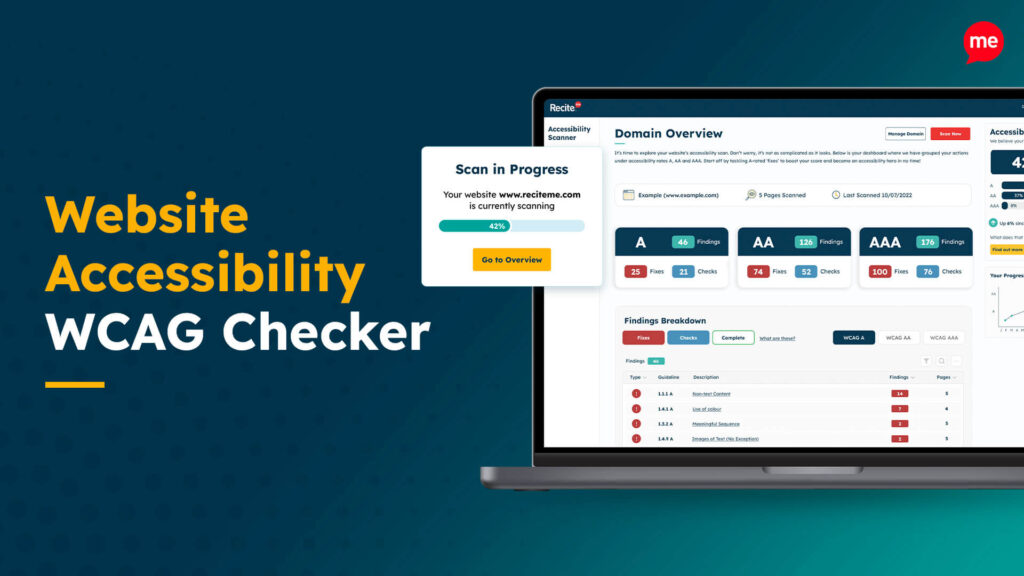
Web Accessibility Checker
Scan, detect, fix, and maintain accessibility compliance standards on your website.
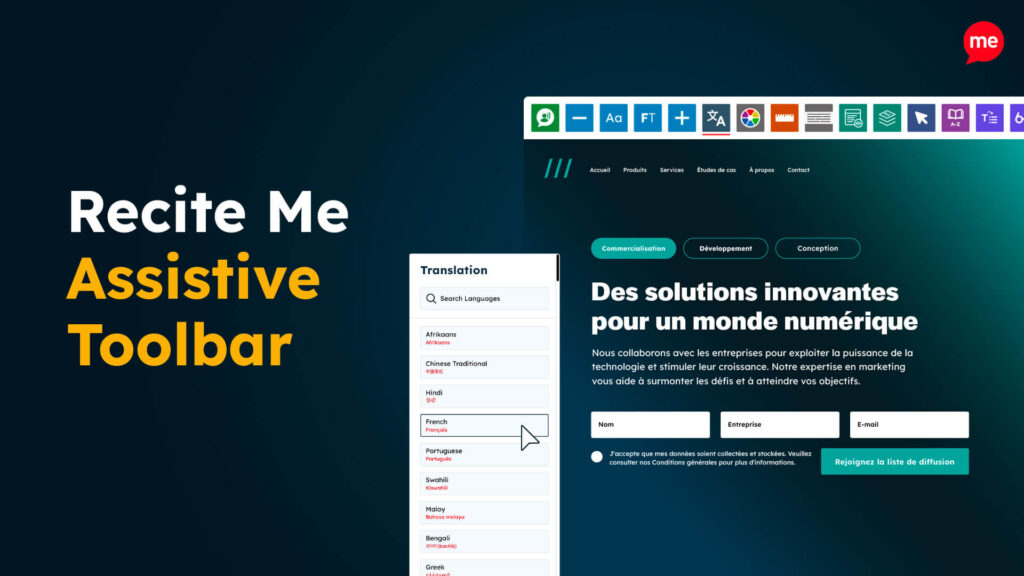
Assistive Toolbar
Make your website an inclusive and customisable experience for people with disabilities.
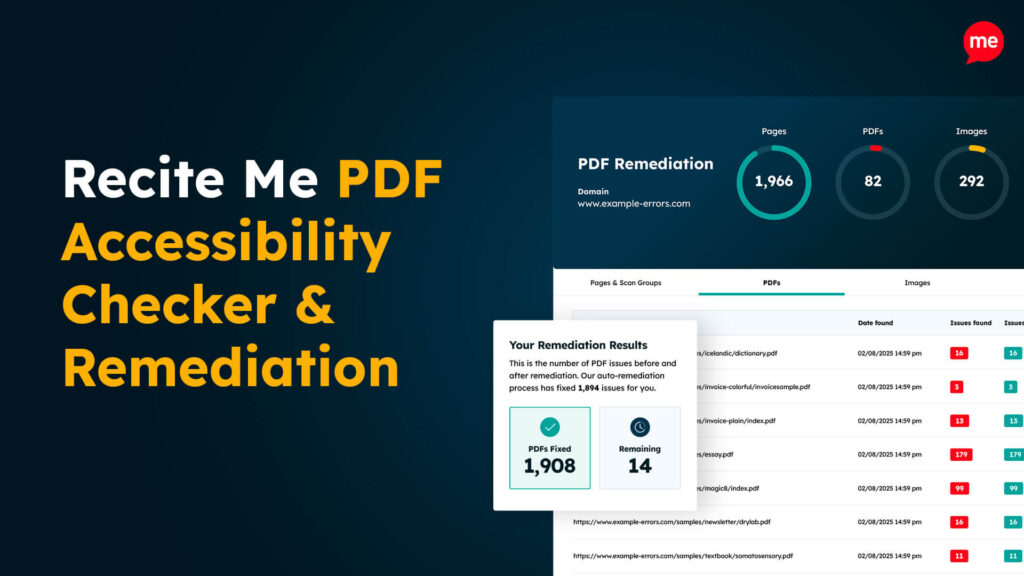
PDF Accessibility Checker
Check your PDFs are compliant with accessibility standards and run automated fixes.