Facebook Tracking Pixel

CHECKER FEATURE

Prioritised Scanning with the Recite Me Accessibility Checker

Focus your accessibility audits on key pages, user journeys, and templates to reduce overwhelm and take a more strategic approach to improving your website.

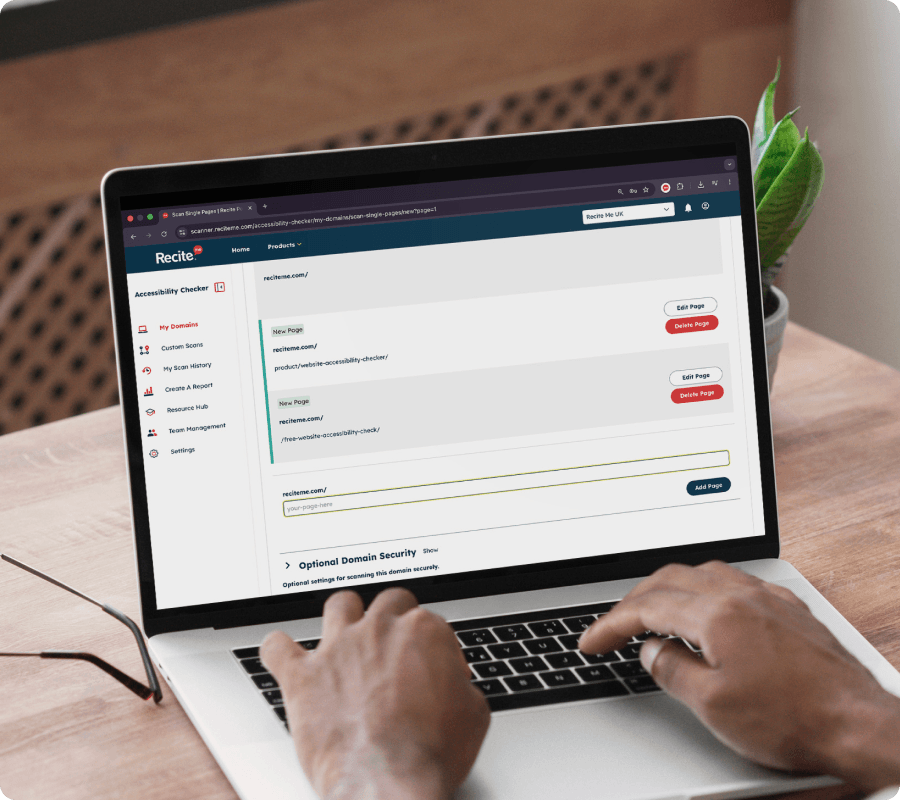
Prioritised Scanning Feature being use on a laptop
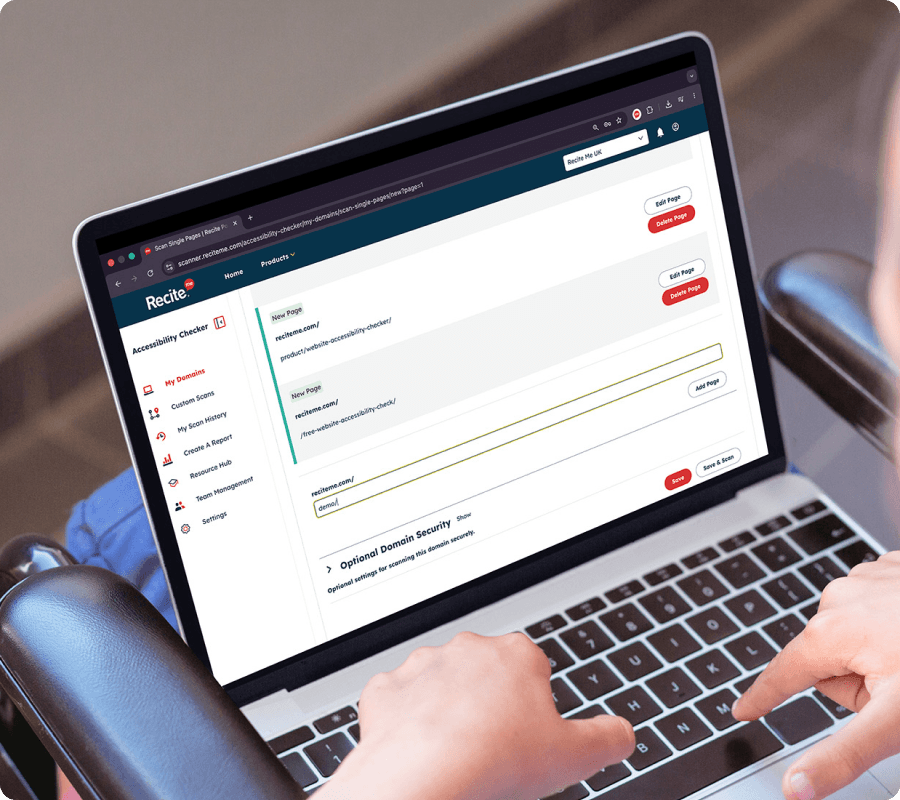
Prioritised Scanning being use on a laptop by a woman in a wheelchair

HOW IT WORKS

How prioritised scanning works

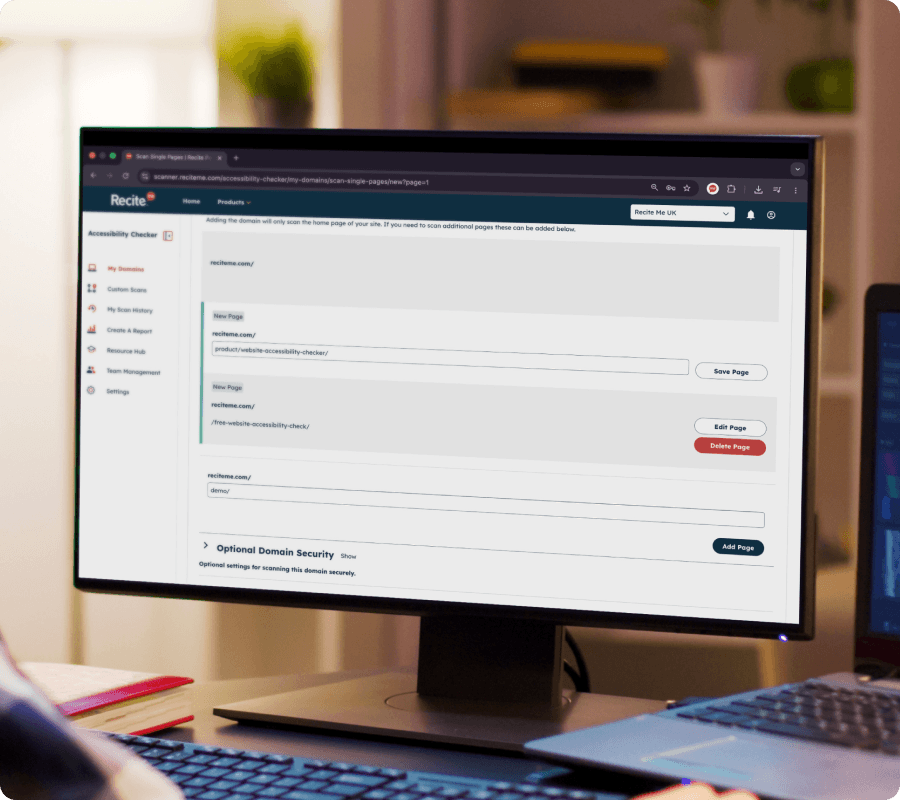
Our Website Accessibility Checker lets you create targeted scan groups across your site, so you can focus on specific areas rather than everything at once.


You can choose individual pages, sections, or templates to audit, and run checks that are tailored to those areas. Each scan produces clear, easy-to-understand results, making it simpler to review issues and take action.


You’re not limited to just one scan. You can create multiple scan groups based on different priorities, teams, or journeys across your website, helping you stay organised and track progress over time.

A closer look at what device specific scanning actually does

Book a demo to find out how device specific scanning works and how it can help you address accessibility issues.

START WITH WHAT MATTERS MOST

Why scanning your entire website isn’t always the best starting point

Full-site accessibility scans can be useful, but they’re not always the best place to start.


They often produce large, complex reports that are difficult to work through, making it hard to know what to tackle first.


By focusing on priority areas instead, teams can simplify the process, take action more quickly, and start building real momentum with their accessibility improvements.

Prioritised Scanning being use on a desktop computer

COMMON USE CASES

Use prioritised scanning to focus on the pages that matter the most

Focus accessibility efforts on the pages, journeys, and templates that will have the biggest impact on your users.

High-traffic pages

Start with the pages your users visit most. Improving accessibility here can create an immediate impact and improve experiences for a large part of your audience.

Key user journeys

Focus on important paths like checkouts, booking flows, or job applications. Making these journeys accessible helps remove barriers at key moments and supports better outcomes.

Template pages

If your site uses templates, small improvements can go a long way. By fixing accessibility issues on templates like product pages, listings, or blogs, you can improve multiple pages at once.

Accessibility impacts more people than you think

From cognitive differences to changing accessibility expectations, inaccessible websites create barriers for a wide range of users. 

1 in 5

people live with a disability
Many users rely on accessible websites to browse, shop, and complete everyday tasks.

96%

of homepages have detectable WCAG failures. Common accessibility issues continue to impact user experience across the web.

71%

of users with disabilities leave inaccessible websites. Poor accessibility can prevent users  engaging with your content.

Who it helps

Who this feature is for

This feature is built for teams that want a more focused, practical way to approach accessibility, including:

MOBILE ACCESSIBILITY MATTERS

What issues can be identified within prioritised scans?

The checker highlights a wide range of accessibility issues, including:


  • Missing or incorrect alternative text
  • Colour contrast problems
  • Heading structure issues
  • Empty or unclear links
  • Form and input accessibility barriers

This means you still get valuable, actionable insights without needing to scan your entire website.

Prioritised Accessibility Scanning FAQs

Yes, you can select specific pages or sections to audit, rather than scanning your entire site.

Golden journeys are key user paths, such as checkout or application processes, that are critical to your website’s performance and user experience.

Starting with key pages is often more effective, as it allows you to address high-impact areas first before expanding your audit.

Yes, you can organise scans into different groups based on your priorities, such as user journeys, templates, or departments.

Prioritising helps you make progress more efficiently, but full compliance typically requires reviewing your entire website over time.

Prioritised accessibility scanning helps you focus on the parts of your website that matter most, instead of trying to review everything at once.

While full-site scans can be useful, they often produce large, complex reports that are difficult to work through, making it hard to know where to start.

By focusing on key areas first, such as high-traffic pages, important user journeys, or templates, accessibility audits become much more manageable. It’s easier to take action, see progress, and build momentum over time.