Facebook Tracking Pixel

CHECKER FEATURE

Device Specific Scanning with the Recite Me Accessibility Checker

Scan your website across desktop, tablet, and mobile to identify accessibility issues that appear on different devices, helping you create a more consistent and inclusive user experience.

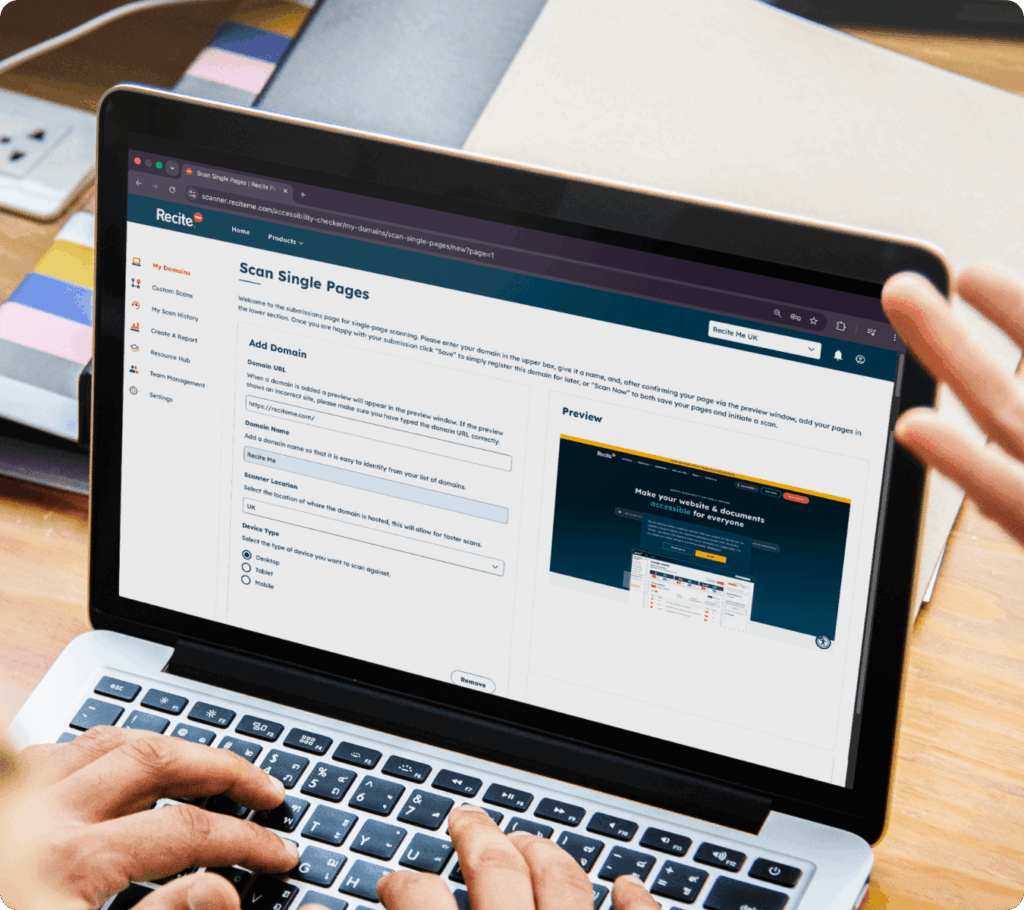
A new scan screen with the desktop option selected
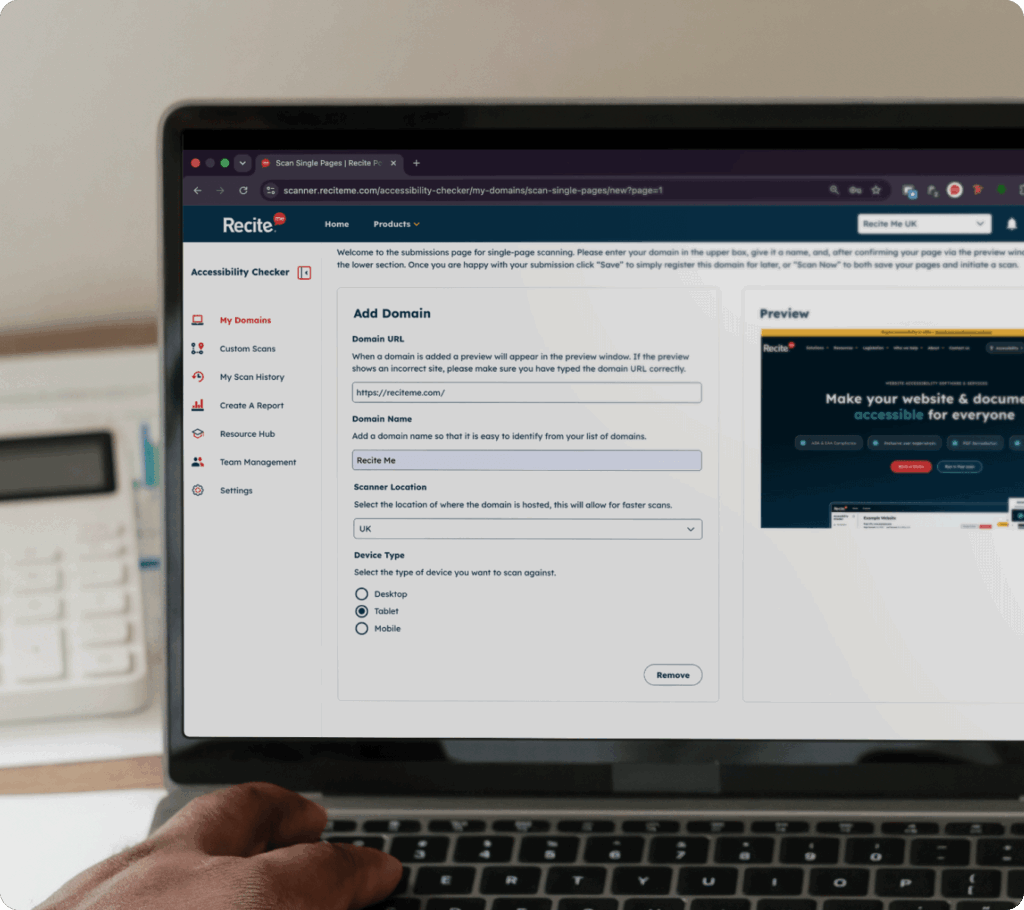
A new scan screen with the tablet option selected

HOW IT WORKS

How device-specific scanning works 

Our Website Accessibility Checker allows you to run scans based on different device views, so you can assess accessibility in the context your users experience it.


You can select desktop, tablet, or mobile and run targeted scans for each. This helps you compare results and identify where accessibility issues differ.

A closer look at what device specific scanning actually does

Book a demo to find out how device specific scanning works and how it can help you address accessibility issues.

What you can uncover

What issues can be identified across devices?

Device-specific scans can highlight a wide range of accessibility issues, including:

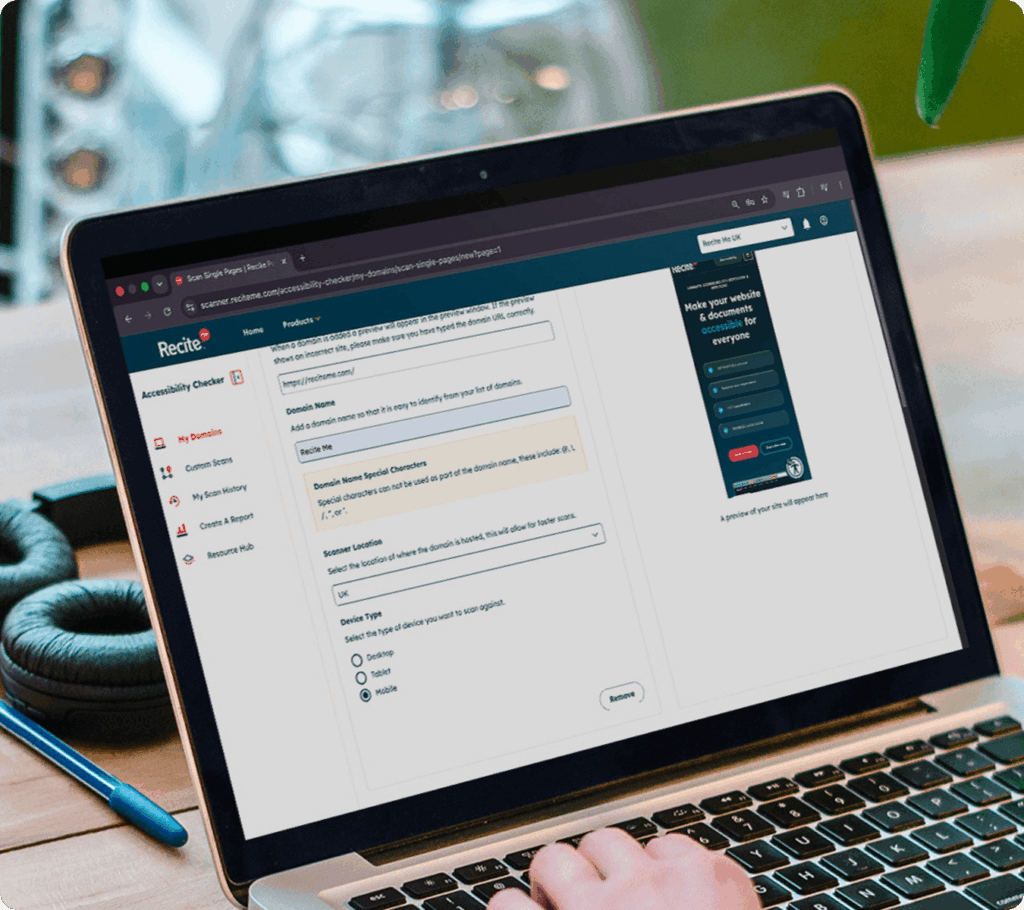
A new scan screen with the mobile option selected

COMMON USE CASES

How teams use device specific scanning

Test accessibility across desktop, tablet, and mobile experiences to identify issues that may only appear on certain devices or screen sizes.

Improving mobile accessibility

Identify and resolve accessibility issues that impact users on smaller screens and touch-based devices.

Testing responsive designs

Ensure your website remains accessible as layouts and content adapt across different screen sizes.

Consistent user experiences

Create a more consistent and inclusive experience, regardless of how users access your website.

Accessibility impacts more people than you think

From cognitive differences to changing accessibility expectations, inaccessible websites create barriers for a wide range of users. 

1 in 5

people live with a disability
Many users rely on accessible websites to browse, shop, and complete everyday tasks.

96%

of homepages have detectable WCAG failures. Common accessibility issues continue to impact user experience across the web.

71%

of users with disabilities leave inaccessible websites. Poor accessibility can prevent users  engaging with your content.

Who it helps

Who this feature is for

This feature is designed for teams responsible for delivering accessible experiences across all devices, including:

MOBILE ACCESSIBILITY MATTERS

Reveal mobile-only accessibility barriers

Mobile users often experience websites differently, and accessibility issues can be more pronounced on smaller screens.

Device-specific scanning helps you uncover problems that may only exist on mobile, such as:


  • Buttons or links that are difficult to tap
  • Content that doesn’t scale properly
  • Navigation that becomes harder to use
  • Overlapping or hidden elements

Device-specific accessibility scanning FAQs

Yes, responsive design and layout changes can introduce issues that only appear on certain devices.

Many users access websites on mobile devices, so ensuring accessibility on smaller screens is essential for an inclusive experience.

Yes, you can run scans specifically for mobile, as well as tablet or desktop.

Yes, device-specific scanning helps ensure your website remains accessible as it adapts across different screen sizes.

Yes, scanning across desktop, tablet, and mobile provides the most complete view of your website’s accessibility.

A website that works well on desktop doesn’t always translate seamlessly to smaller screens.

Layout changes, responsive design, and different interaction patterns can introduce accessibility barriers on mobile or tablet that aren’t visible on desktop.

Without testing in different contexts, these issues can go unnoticed, impacting users who rely on mobile experiences.