
























Get Your Free Accessibility & Inclusion Toolkit
Download NowThe five standards of the AODA focus on: customer service, information and communications, employment, transportation, and the design of public spaces.
Organizations operating in Ontario must comply with these standards to ensure their products and services are accessible to residents and visitors. This can be achieved through accessibility scans, proper employee training, and scheduled audits.
What are the 5 standards of AODA?
In Ontario, the Accessibility for Ontarians with Disabilities Act (AODA) mandates that businesses and public organizations tackle accessibility issues on their websites and digital products.
This means spotting areas where issues might exist, taking steps to fix them, and preventing any further accessibility issues from happening.
For anyone responsible for company websites, PDFs, reports, marketing materials, and other digital materials, AODA is an applicable legal standard and must be adhered to.
There are five standards under AODA to know, as follows:
#1 – The customer service standard
The customer service standard is there to ensure all customers can access any business or organization’s products, services, and overall facilities – without barriers. This means Ontario businesses must:
- Make sure their customer services are fully accessible.
- Train all employees in how to facilitate accessibility for Ontarian customers.
- Meet different communication needs, fully and appropriately.
What does this look like in practice? It could include measures such as welcoming service dogs and support people into your premises or supporting different routes for accessibility feedback.
#2 – The information and communications standard
This standard is all about finding the right ways to inform and communicate with people who have a disability. It covers anything from making PDFs and websites accessible to ensuring emergency procedures are accessible to people with disabilities within your premises.

Company websites are a particular focus here, especially for bigger organizations. Generally speaking, the Web Content Accessibility Guidelines (WCAG) 2.0 Level AA requirements will apply. And it’s up to companies to meet them (usually with specialist in-house or external support to make the entire process easier).
#3 – The employment standard
The employment standard focuses on hiring, training, onboarding, and developing people with disabilities within the company.
From an accessibility perspective, the emphasis is on making the entire process clear, helpful, and responsive to meet different needs, ensuring that any potential employee with an accessibility issue feels just as included, informed, and supported as everyone else.
#4 – The transportation standard
If an Ontarian business is involved in transport in any way (such as a public bus services), the transportation standard comes into play.
Again, it’s all about making sure people with disabilities can fully access transport, with the right communication, modifications and support to level the playing field.
#5 – The design of public spaces standard
This standard applies to all newly developed public spaces in Ontario, and it can span everything from restrooms and playgrounds to paths, parking facilities and canteen spaces.
It sits alongside the other Ontario building code regulations to ensure everyone can participate in public life, with spaces that work for their varied needs.
For any business or organization involved in developing public spaces, it can be a really exciting opportunity to design a truly accessible space, in consultation with people who will use it.
Inclusion always means making sure people with disabilities can fully access the world around them, and when public spaces are well designed, it opens up opportunities for everyone.
Get a Free AODA Compliance Check of your Website
Run a scan to identify WCAG issues on your website's homepage. Then, use our recommended changes to achieve compliance with the latest accessibility standard.
Who needs to comply with the five AODA standards?
The standards apply to companies, public organizations, and non-profits operating in Ontario, usually with one employee or more.
The relevant standards that apply will depend on the body’s nature of business and size/remit, but it’s important to note that Ontario’s accessibility regulations apply to even the smallest firms.
Ontario is clear: accessibility must be offered to everyone, to unlock opportunities for all.
What happens if an organization doesn’t comply with AODA?
Firms and organizations that don’t comply with AODA can expect to receive inspections, compliance orders, and even fines. In serious cases, financial penalties can reach up to $100,000 a day for bigger companies.
But the damage of failing to address disability accessibility in Ontario goes beyond the threat of penalties and orders. Businesses and companies that don’t focus on inclusion and accessibility risk destroying their reputation.
AODA has been created to ensure everyone can participate fully in public life, and this is something that Ontarians feel strongly about.
With this in mind, most Ontarian businesses and companies view AODA as a useful framework that offers a motivating bar. After all, everyone wants to offer the best possible experience that they can do their communities and service users!
And the good news is that there’s plenty of help available to companies and organizations that want to excel in the accessibility field.

How can organizations ensure AODA compliance?
AODA isn’t a simple tick-box exercise that’s done once and then forgotten about. It’s an ongoing approach to constant improvement and refinement, particularly as new software tools now make it easier than ever to achieve accessibility compliance.
Understand which AODA requirements apply to your organization
The starting point is to understand the Ontario government’s accessibility guidance to know exactly how AODA applies to your business.
Start with an accessibility scan of your website
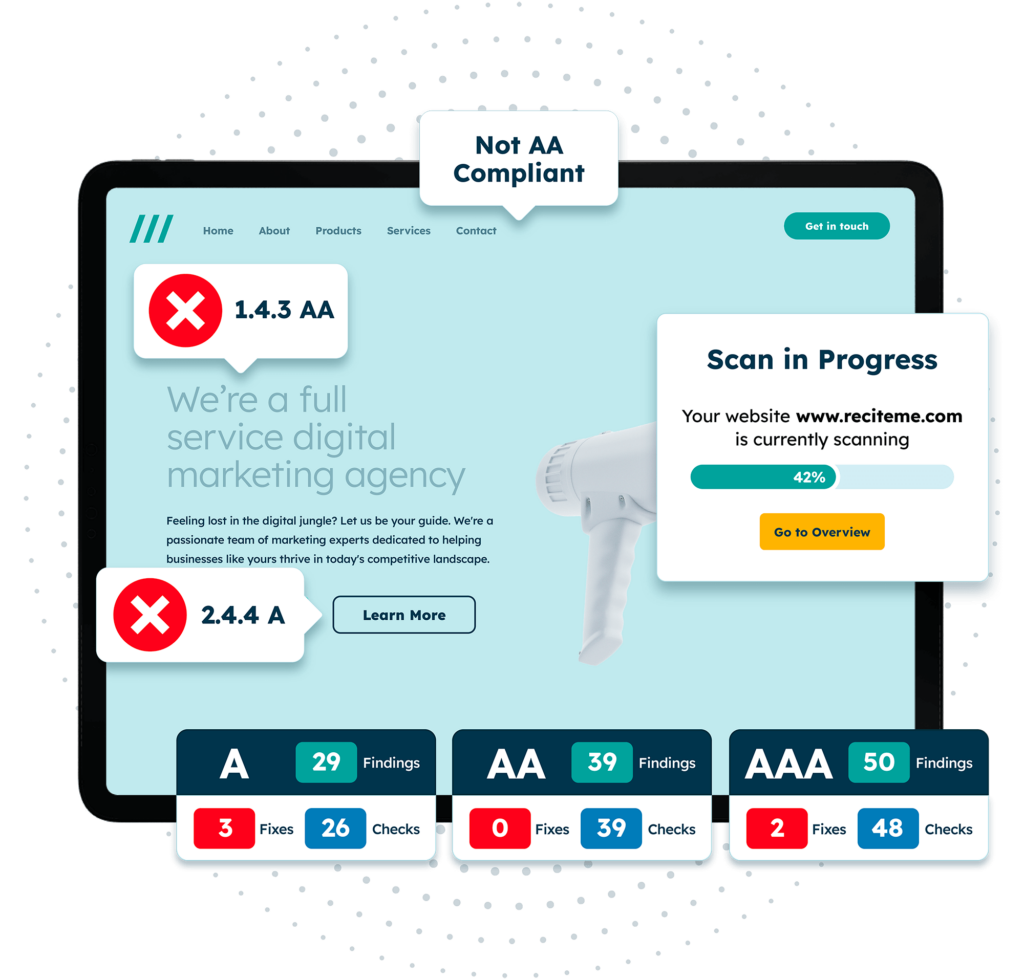
Company and organizational websites are a big focus of AODA. Happily, it’s easy to carry out an accessibility check using the latest targeted software. At Recite Me, we offer a free accessibility check to tell you exactly what you need to know.
If your company is subject to WCAG requirements, then you might want a full professional check to cover every included aspect of web design, from font choice and design structure to accessible file formats.
Identify and prioritize accessibility barriers
Start by identifying accessibility barriers and document them. It’s not possible to tackle everything immediately, so set priorities and timelines.
Get professional help to guide focus areas and find solutions, and use ready-made specialist products such as the Recite Me accessibility checker, which provides a prioritized list of WCAG compliance issues for websites to fix.
If you can meet WCAG standards, your website becomes AODA compliant as a result.
Train employees on accessibility requirements
For a company or organization to take disability accessibility seriously, it needs to be baked into the company culture. Employee training on accessibility and its mandated requirements is essential, and it should also be ongoing.
You can download our free accessibility training course to begin upskilling your employees.

Review accessibility regularly
Accessibility isn’t a ‘one and done’ job. Part of the standard involves regular reviews and ongoing improvements. So again, our accessibility checker makes things easy for ongoing monitoring, taking website changes into account and flagging new issues that might occur over time.
Submit AODA accessibility compliance reports when required
Ontarian businesses and non-profits with 20+ employees are also obliged to provide accessibility compliance reports every three years, so it’s vital to stay on top of the standard’s requirements and evidence this for the formal review.
Get a Free AODA Compliance Check of your Website
Run a scan to identify WCAG issues on your website's homepage. Then, use our recommended changes to achieve compliance with the latest accessibility standard.
Our final take on the importance of AODA standards
The five standards of AODA aren’t there to create red tape. They’re there to make Ontario as accessible and inclusive as possible for everyone, and maximize opportunities for everyone.
To start your AODA compliance journey, run a free website accessibility scan now. If you need more personalized support, you can reach out to an expert member of the Recite Me team.
Five standards of AODA requirements FAQs
Looking for a recap or quick summary? Here are a few of our most frequently asked questions to help you get to grips with the essentials:
What are the five standards of the AODA?
The five standards of the Accessibility for Ontarians with Disabilities Act are Customer Service, Information and Communications, Employment, Transportation, and Design of Public Spaces.
Does the AODA require websites to meet WCAG standards?
Yes, the Information and Communications Standard requires applicable organizations to comply with the requirements of WCAG 2.0 Level AA.
Are small businesses required to comply with AODA standards?
Yes, private businesses and non-profit organisations with at least one employee generally have AODA obligations.
What happens if an organisation does not comply with AODA standards?
Organizations that fail to meet applicable AODA requirements may face enforcement action, including compliance orders and financial penalties.
Are AODA standards the same as WCAG compliance?
No, WCAG provides technical guidelines for making digital content accessible, while AODA is legislation covering broader accessibility requirements across five areas.
You can check our AODA vs WCAG comparison guide here.
Check out our Products & Services
Ready to take your first steps towards digital accessibility compliance? Then see how we can support your journey with our accessibility solutions:
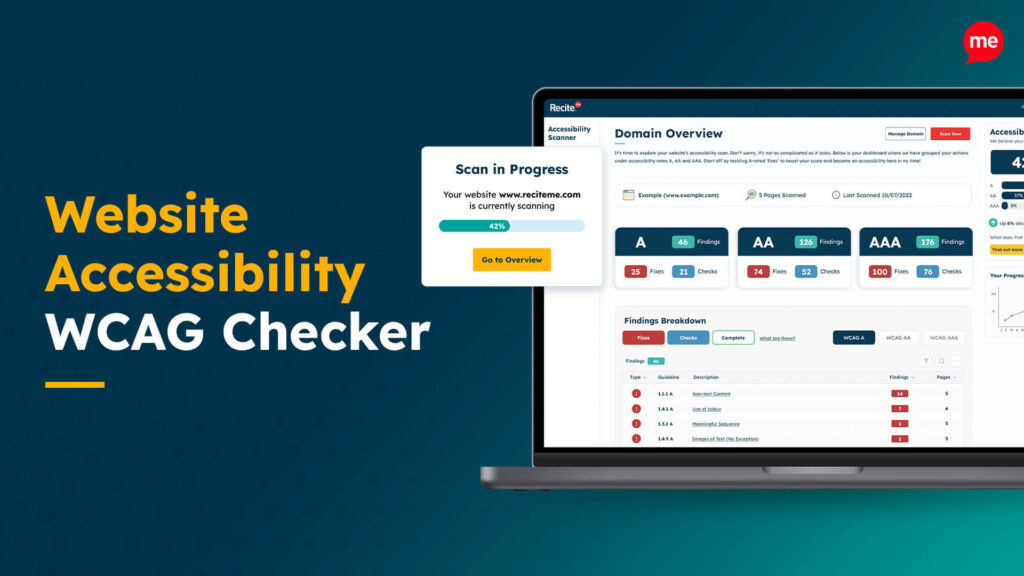
Web Accessibility Checker
Scan, detect, fix, and maintain accessibility compliance standards on your website.
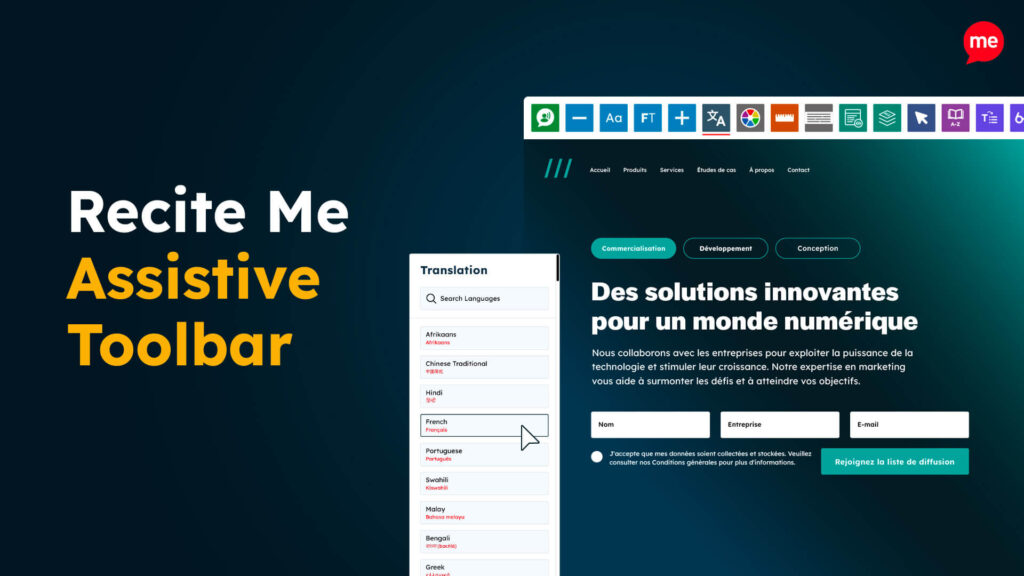
Assistive Toolbar
Make your website an inclusive and customizable experience for people with disabilities.
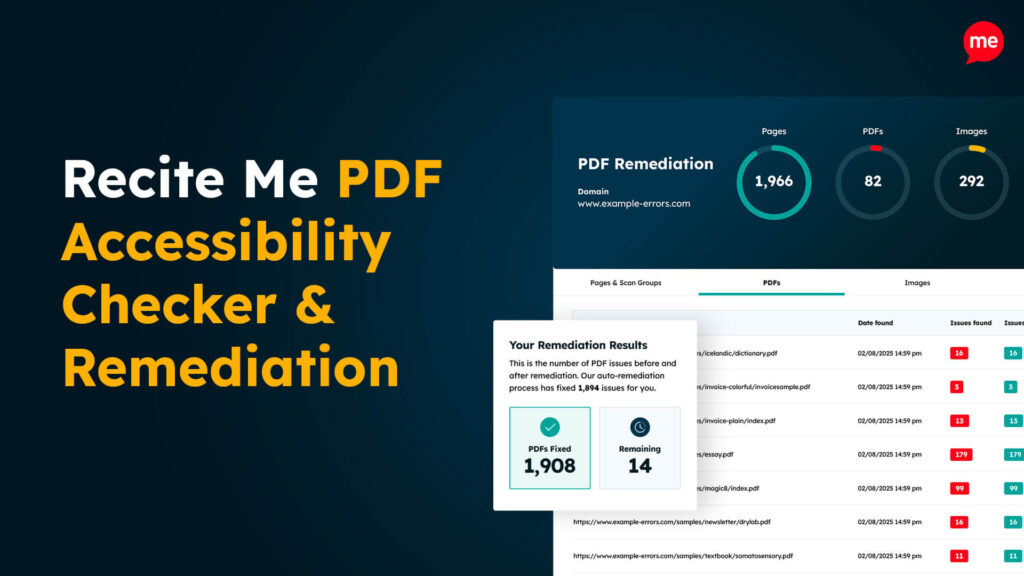
PDF Accessibility Checker
Check your PDFs are compliant with accessibility standards and run automated fixes.