

Free ADA Compliance Audit of your eCommerce Website
Run a free scan of your website's homepage to identify any ADA violations. Then, use our recommendations to implement fixes and achieve ADA compliance.
Under the Americans with Disabilities Act (ADA), digital stores are expected to provide equal access to customers with disabilities, just as physical retail locations do. Even purely online retailers with no physical storefront can face lawsuits if their websites are not accessible.
ADA compliance for eCommerce websites has come into sharp focus lately. Growth across the sector has continued to accelerate. However, so too has accessibility enforcement activity, making ADA-compliant web design a top priority.
In this guide, we’ll explain how ADA compliance applies to eCommerce websites and outline practical steps your organization can take to improve accessibility.
What is ADA compliance for eCommerce?
Although the ADA was written long before online shopping became mainstream, the DOJ has ruled that websites and digital services qualify as “places of public accommodation” under Title III. As such, online platforms are expected to meet full ADA compliance.
For eCommerce operators, that means removing digital barriers that prevent users from:
- Browsing product listings
- Understanding product information
- Adding items to a cart
- Completing checkout and payment flows
- Managing accounts or returns

While the ADA does not specify a particular technical standard, enforcement actions and settlements consistently cite the Web Content Accessibility Guidelines (WCAG) as the benchmark for compliance. To reduce risk and align with the most up-to-date expectations, it is recommended that compliance efforts target WCAG 2.2 Level AA.
10 reasons why ADA compliance for eCommerce matters
ADA compliance is shaped by both legal and commercial considerations that can directly affect eCommerce performance:
- Legal risk: ADA website lawsuits continue to rise year over year, and eCommerce sites are frequent targets.
- Audience reach: Around 1 in 4 Americans has a disability that affects how they interact with digital content. Accessibility improvements also benefit older users, those with temporary disabilities, and users of assistive technology.
- User experience: ADA compliance typically involves making your website easier to navigate, which benefits all users, not just those with disabilities.
- Ethical shopping trends: Consumers increasingly expect online stores to be usable by everyone, including people with disabilities.
- Conversion rates: If consumers cannot navigate your site, read product details, or complete the checkout process, they cannot convert—no matter how strong your product offering is.
- Brand trust: Clear navigation, readable content, and predictable interactions signal professionalism and care, encouraging positive purchase decisions and repeat business.
- Market leadership: Brands that prioritize accessibility position themselves as inclusive, forward-thinking retailers, helping remove friction for more consumers.
- Operational costs: Addressing accessibility issues early is typically more cost-effective than reactive remediation following legal action or public complaints.
- Regulatory scrutiny: Non-compliance can trigger investigations or enforcement activity and may limit eligibility for government or public-sector contracts.
- SEO performance: While not a direct ranking factor, many accessibility improvements support faster-loading pages, improved crawlability, and better content structure, driving increased organic traffic.
As you can see, ADA compliance for eCommerce isn’t just about avoiding legal action. It’s a practical way to reduce risk, increase reach, and create smoother shopping experiences that support long-term growth and revenue goals.
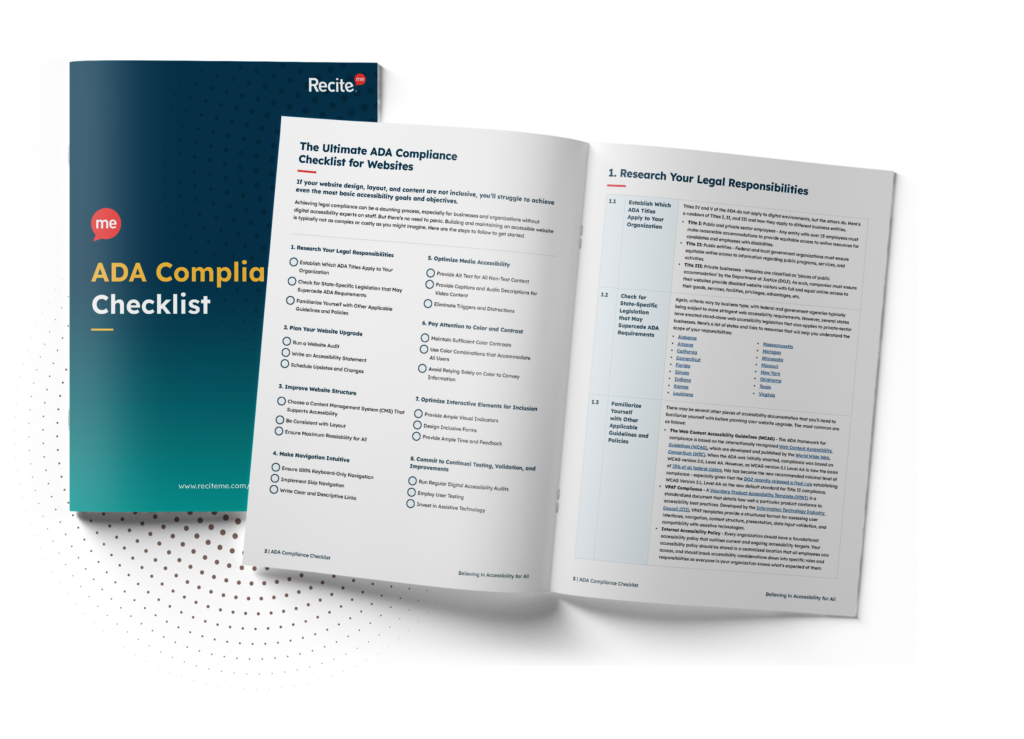
Want to make sure your website is compliant with the Americans with Disabilities Act? Then unlock the ADA compliance checklist now. Discover actionable steps to ensure ADA compliance, helping you avoid lawsuits and any other negative consequences of non-compliance.
Common ADA accessibility issues on eCommerce websites
Many eCommerce accessibility failures stem from everyday design and development decisions rather than complex technical errors. Common issues include:

- Missing or incorrect alt text on product images
- Poor color contrast, especially on pricing, promotions, and call-to-action buttons
- Unlabeled form fields in checkout and account creation
- Keyboard navigation traps that prevent users from completing checkout without a mouse
- Inaccessible dropdown menus and filters
- Error messages that rely on color alone
- Auto-updating carts or pop-ups that interrupt screen reader users
Because these issues often appear across templates, they can affect hundreds or thousands of pages at once.
How to check and improve ADA website compliance
Improving ADA compliance for eCommerce starts with understanding where accessibility barriers exist and then addressing them in the areas that matter most to users and revenue. Here’s how to get started.
1. Run an accessibility audit
Automated accessibility scanning tools like the can help surface common WCAG and ADA-related issues and produce a prioritized list of fixes, providing a clear starting point for remediation.
2. Prioritize high-impact user flows
Focus first on pages that directly affect revenue:
- Product listings
- Product detail pages
- Cart and checkout
- Login and account management

3. Combine automated and manual testing
Automated testing tools can quickly identify technical issues, but they cannot fully assess real-world usability. Therefore, manual testing is essential for evaluating how actual users navigate your site with screen readers, keyboards, and other assistive technologies.
4. Bake accessibility updates into workflows
Building an ADA-compliant eCommerce website is not a one-time task. New products, promotions, design changes, and platform updates should always be tested as part of your internal processes to prevent re-emerging issues.

The role of accessibility tools in eCommerce compliance
Accessibility tools can help monitor issues, surface violations, and support remediation workflows. However, tools work best when combined with:
- Clear ownership across design, development, and content teams
- Accessibility-aware templates and components
- Regular reviews of new content and features
Remember, the goal is sustainable compliance, not reactive fixes after complaints arise.
ADA-compliance tools for eCommerce websites
At Recite Me, our focus is on helping organizations identify accessibility barriers, support compliance efforts, and improve usability for people with disabilities. Hundreds of eCommerce brands use our accessibility tools to assess risk, prioritise fixes, and support inclusive online shopping experiences.
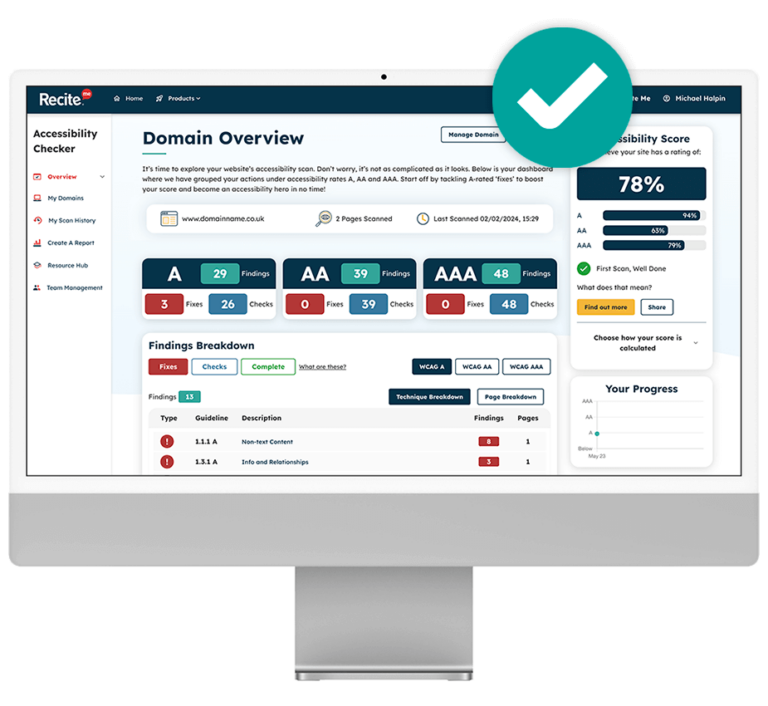
1. The Recite Me Accessibility Checker
Our Accessibility Checker provides automated scans aligned with WCAG 2.2 guidelines to address the root causes of online barriers. It highlights problem areas, prioritises fixes by WCAG level, and supports ongoing monitoring through downloadable reports.
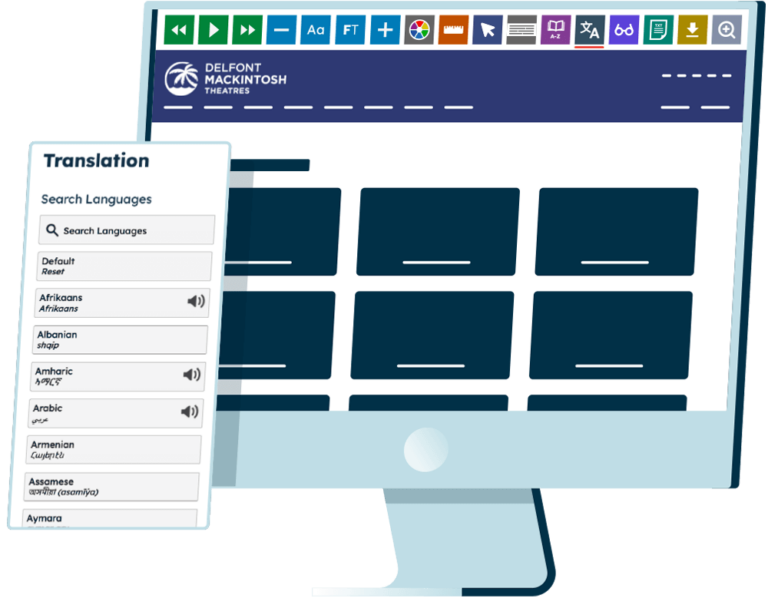
2. The Recite Me Accessibility Toolbar
Our Accessibility Toolbar enables users to customize their interactions with your website. For eCommerce stores, this supports more inclusive browsing and purchasing by allowing visitors to adjust visual, reading, and language preferences to suit their needs.
3. The Recite Me PDF accessibility checker
Our PDF Accessibility Checker helps identify accessibility issues like missing tags, poor reading order, and inaccessible text in downloadable documents, supporting compliance with ADA standards for invoices, order confirmations, product manuals, returns policies, and other eCommerce-related PDFs.
4. Accessibility documentation
Proper accessibility documentation supports sustainable ADA compliance by defining clear standards, responsibilities, and processes, helping eCommerce teams maintain consistency across content updates, product launches, and third-party integrations without relying on reactive, ad hoc fixes.
4. Accessibility training
Professional accessibility training helps teams understand accessibility requirements and apply best practices across content, design, and development workflows. For eCommerce businesses, this supports faster releases, fewer regressions, and more resilient compliance as sites evolve.
Free ADA Compliance Audit of your eCommerce Website
Run a free scan of your website's homepage to identify any ADA violations. Then, use our recommendations to implement fixes and achieve ADA compliance.
Act now to ensure ADA compliance
For eCommerce stores, digital accessibility goes beyond regulatory compliance. Yes, an accessible website helps reduce legal risk. But it also improves usability. By aligning with globally recognized WCAG standards and embedding accessibility into everyday workflows, eCommerce teams can move beyond reactive fixes and build more resilient, scalable online experiences.
Need help getting started? Recite Me’s accessibility consultancy services are designed support organizations at every stage of their accessibility journey. Get in touch to discuss what meaningful ADA compliance looks like for your online store.
ADA compliance for eCommerce – FAQs
ADA compliance raises several practical and legal questions. Here are a few of the most commonly asked by eCommerce operators.
Does the ADA apply to eCommerce websites?
Yes. The DOJ has confirmed that websites and digital services can qualify as places of public accommodation under Title III of the ADA. This includes eCommerce websites.
What accessibility standard does the ADA require?
ADA enforcement actions and legal settlements reference the Web Content Accessibility Guidelines (WCAG). To align with current expectations and reduce legal risk, it is strongly recommended that you target WCAG 2.2 Level AA.
Can small or mid-sized eCommerce businesses face ADA lawsuits?
Yes. ADA website accessibility claims are not limited to large enterprises. Small and mid-sized eCommerce businesses are regularly named in lawsuits, particularly when checkout processes or product pages contain accessibility barriers.
Are automated accessibility tools enough to gurantee ADA compliance?
Not usually, no. Automated tools are a useful starting point, but they cannot identify every accessibility issue. Therefore, manual testing is essential for evaluating real-world usability, especially for complex eCommerce interactions involving screen reader use and keyboard-only navigation.
How often should eCommerce websites test for accessibility?
At least annually, but ideally every quarter. New products, promotions, design updates, and platform changes can introduce new barriers, so accessibility checks should be built into regular release and content update cycles.
Need more help becoming ADA compliant?
The following resources are packed full of actionable tips and expert advice for making your digital content compliant with the Americans with Disabilities Act:
Free ADA Accessibility Training
Take the first step to ADA compliance by completing our training course.
Free ADA Accessibility Guide
Ensure your organization is meeting the requirements for ADA compliance.